Manual for HXR-MC1

Manual for HXR-MC1

Brand: SONY

Category: Camcorder

Document Type: Manual

Language: EN

Uploaded: Aug. 10, 2025, 12:21 a.m.

Warranty Information

None

Getting Started:

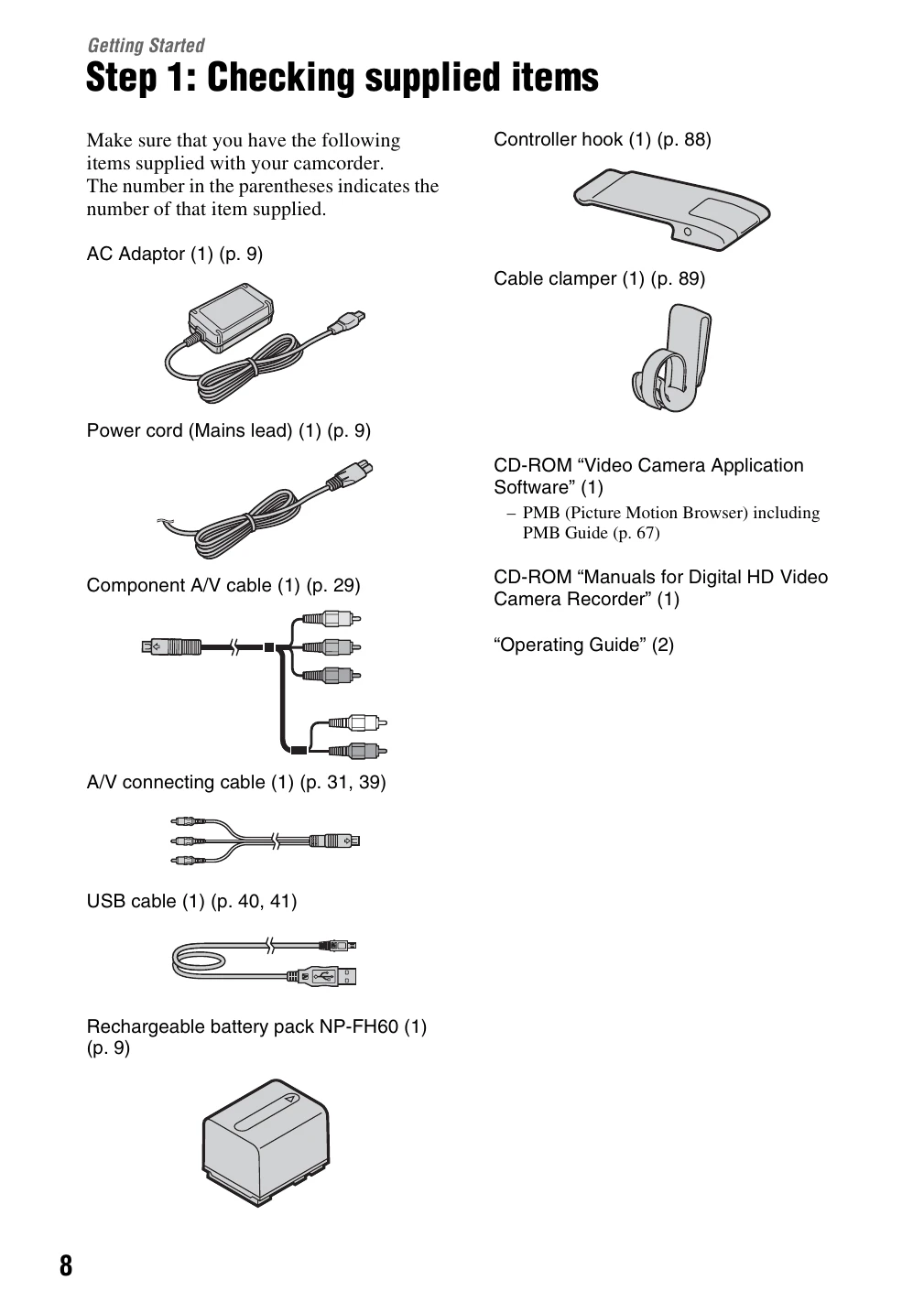
  • Step 1: Checking supplied items: Ensure all accessories are present.
  • Step 2: Charging the battery pack: Connect the AC adapter and battery pack to charge.
  • Step 3: Turning the power on, and setting the date and time: Power on the camcorder and follow on-screen prompts to set the date and time.
  • Step 4: Inserting "Memory Stick PRO Duo” media: Open the media cover, insert the Memory Stick, and close the cover.

Recording/Playback:

  • Using the HOME MENU: Access various functions and settings.
  • Recording movies: Turn on the camcorder, select movie mode, and press START/STOP to record.
  • Recording still images: Turn on the camcorder, select still image mode, and press the PHOTO button.
  • Preventing operation errors: Use the HOLD switch to lock controls.
  • Zooming: Use the power zoom lever to magnify images.
Privacy Policy