Brand: SONY
Category: Camcorder
Document Type: Manual
Language: EN
Brand: SONY
Category: Camcorder
Document Type: Manual
Language: EN
Uploaded: Aug. 10, 2025, 12:19 a.m.
Manual Publish Date: 2010-01-01
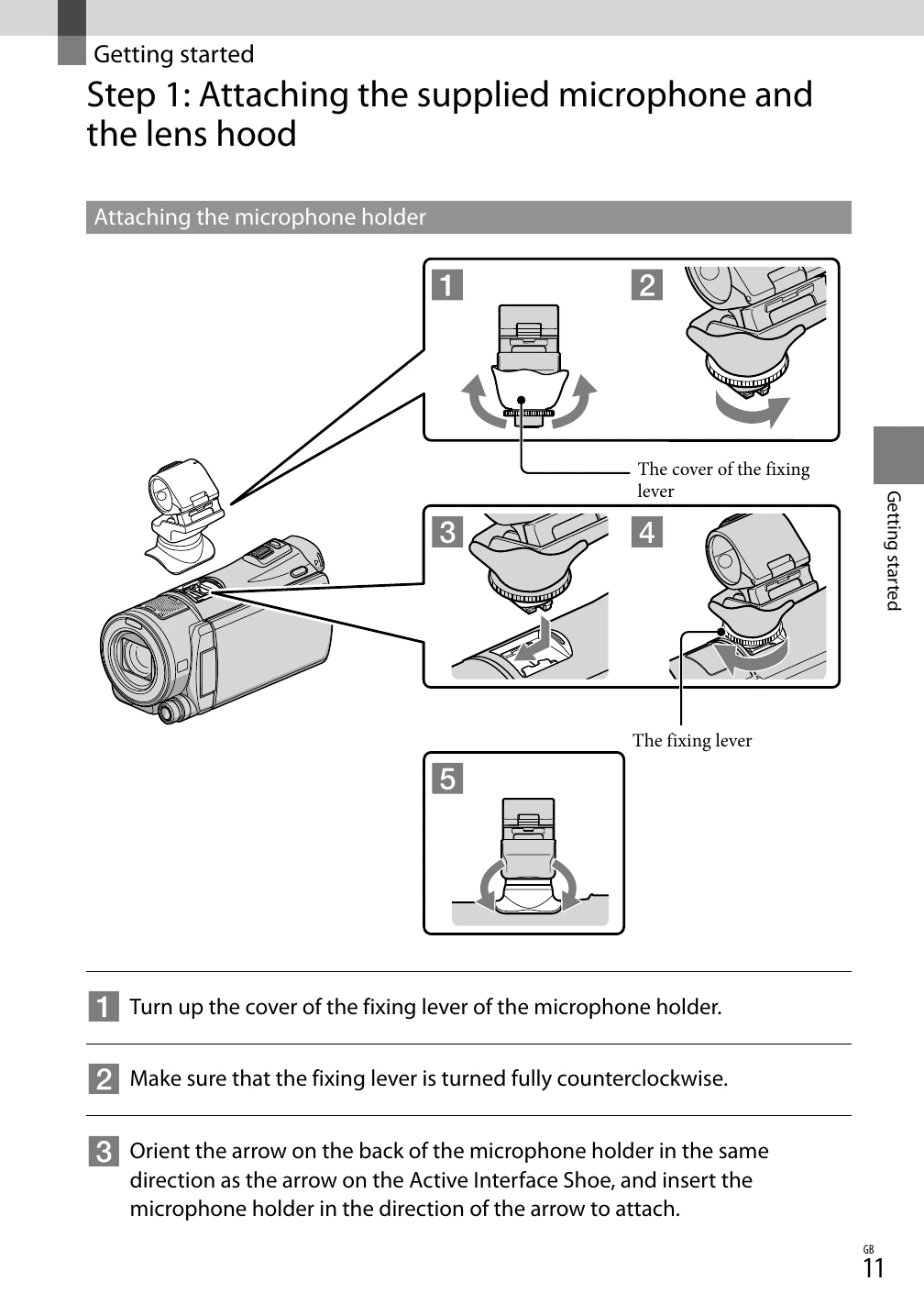
Step 1: Attaching the supplied microphone and the lens hood. This involves attaching the microphone holder to the camcorder's Active Interface Shoe, then attaching the microphone to the holder. The lens hood is also attached to the lens.
Step 2: Charging the battery pack. Connect the AC Adaptor and power cord to the camcorder and a wall outlet. The charging lamp indicates the charging status.
Step 3: Turning the power on, and setting the date and time. Open the LCD screen to turn on the camcorder. Select the geographical area, then set the date and time. The camcorder can be turned on/off using the LCD screen or viewfinder.
Step 4: Preparing the recording media. Select the recording media for movies and photos (internal memory or memory card). Insert the memory card if needed.