Brand: SONY
Category: Camcorder
Document Type: Manual
Language: EN
Brand: SONY
Category: Camcorder
Document Type: Manual
Language: EN
Uploaded: Aug. 10, 2025, 12:24 a.m.
Turn the ON/STANDBY switch to ON.
Select your area using the navigation buttons, then press the SET button.
Connect the DC plug to the camcorder's DC IN jack. Connect the power cord to the AC Adaptor and the wall outlet. Turn the ON/STANDBY switch to STANDBY. The CHG lamp indicates charging status.
Align marks on the lens hood with those on the camcorder and turn until locked.
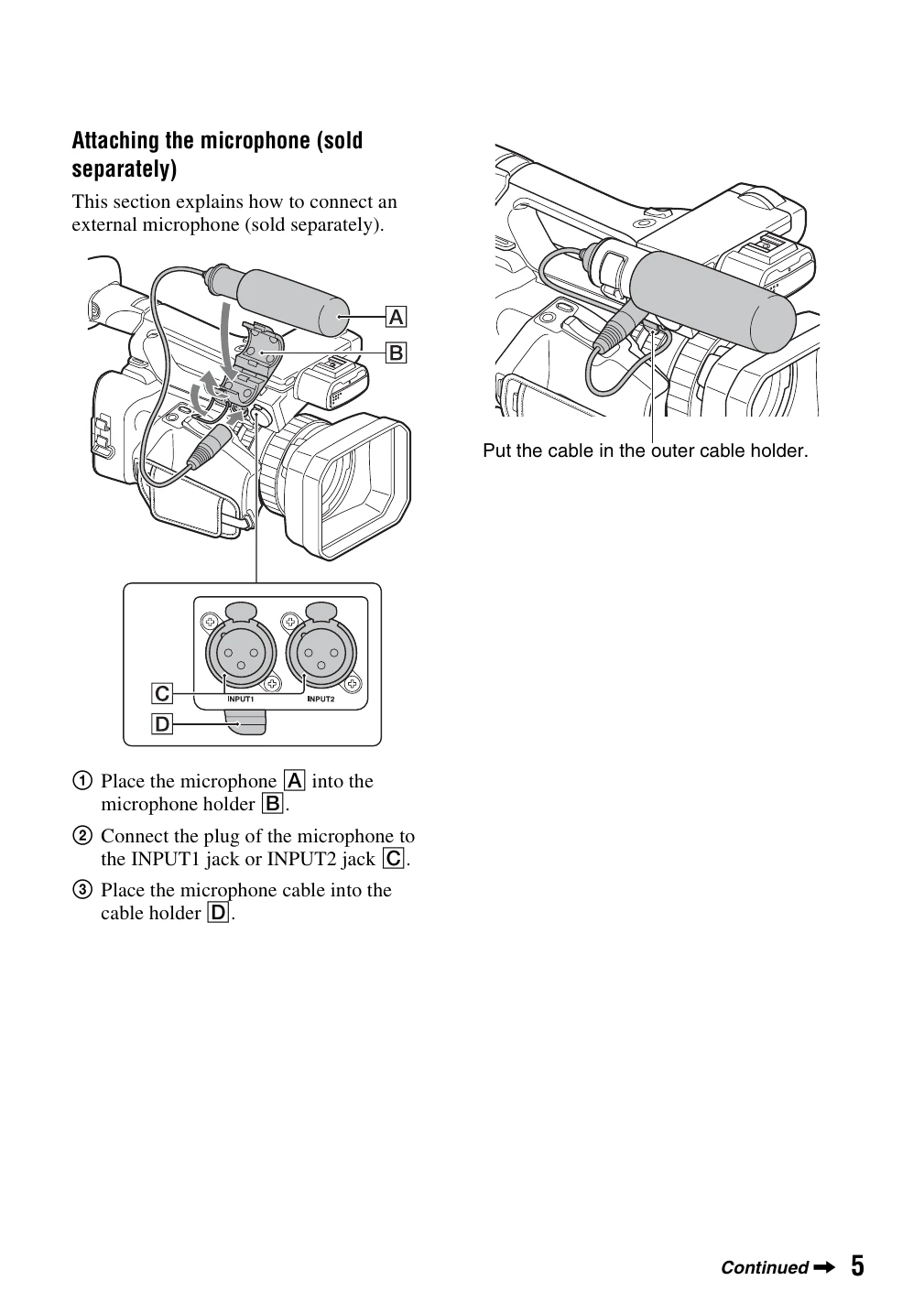
Place the microphone into the holder, connect the plug to the INPUT jack, and secure the cable.
Verify all items listed in Step 1 are present.
| Trouble | Page |
|---|---|
| Warning indicators and messages | 102 |