Brand: SONY
Category: Camcorder
Document Type: Manual
Language: EN
Brand: SONY
Category: Camcorder
Document Type: Manual
Language: EN
Uploaded: Aug. 10, 2025, 12:23 a.m.
Manual Publish Date: 2014
Before Using the Unit:
Set the region of use. Power off the camcorder before attaching/removing accessories.
Chapter 1: Overview
Details features like 2/3-inch full-HD "PowerHAD FX" CCDs, high reliability mechanisms, multi-format support, and extended recording times. Explains interfaces, shooting condition features (Picture Cache, Slow Shutter, Time Lapse, Slow & Quick Motion, Freeze Mix, Digital extender, Focus Assist, Assignable switches, Hyper gamma), digital wireless microphone system, LCD monitor, and XDCAM series features.
Chapter 2: Preparations
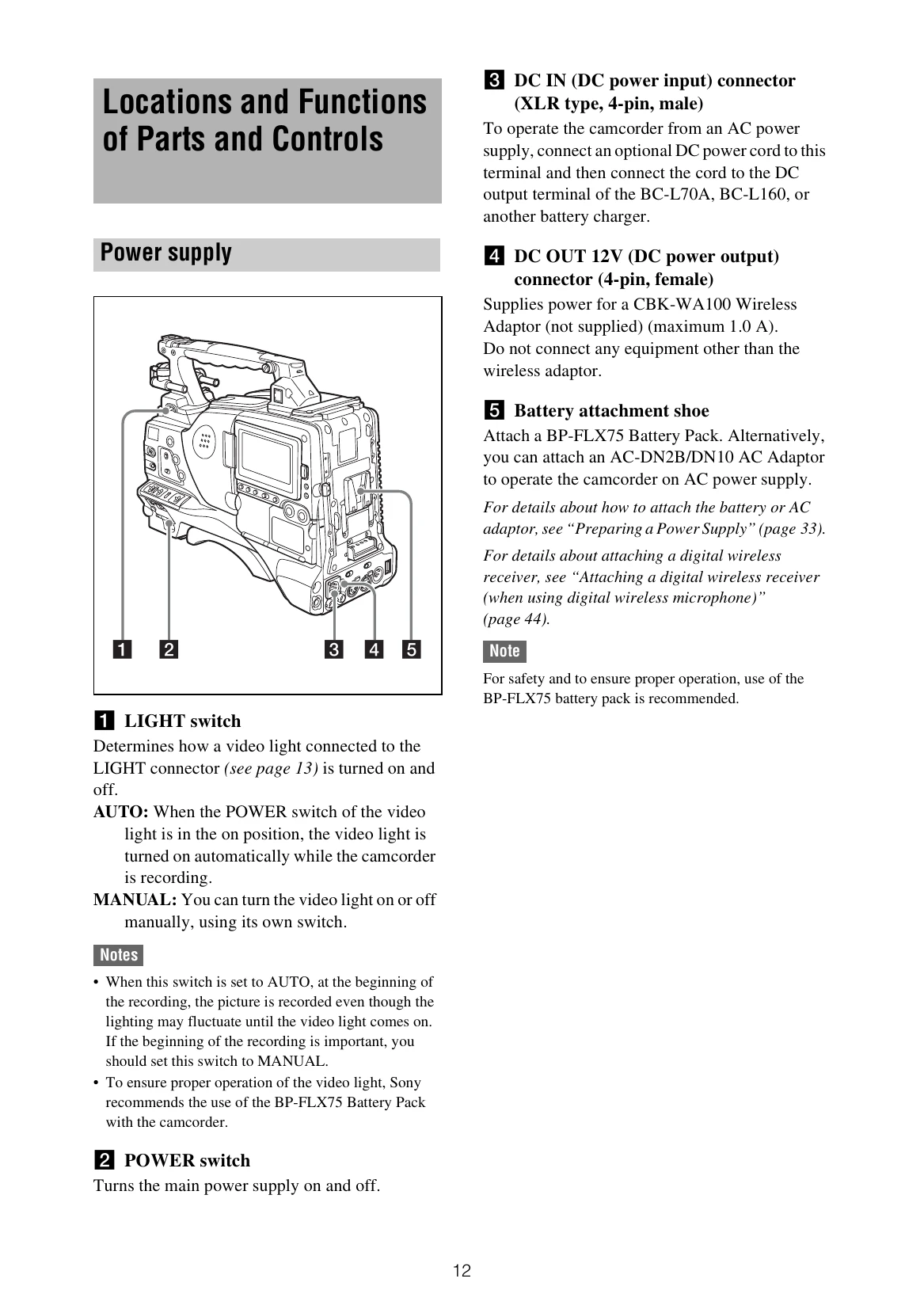
Covers power supply (battery, AC), attaching the viewfinder, setting area of use, date/time, mounting the lens, preparing audio input, tripod mounting, connecting video light, and using the shoulder strap.
Chapter 3: Adjustments and Settings for Shooting
Details setting recording format, black/white balance, electronic shutter, reference value for auto iris, audio levels, and time data.
Chapter 4: Shooting
Explains handling discs, basic shooting procedures, and advanced shooting operations like recording essence marks, clip flags, thumbnail images, time-lapse, slow & quick motion, freeze mix, and using the live logging function.
Chapter 5: Operations in GUI Screens
Covers GUI screen operations, thumbnail operations, scene selection, and disc operations.
Chapter 6: Menu Displays and Detailed Settings
Details menu organization, operations, setting status display, and various adjustments and settings accessible via menus.
Chapter 7: Saving and Loading User Setting Data
Covers saving and recalling user files and scene files.
Chapter 8: File Operations
Details directory structure, FTP file operations, and recording continuous timecode.
Chapter 9: Maintenance
Covers testing the camcorder before shooting and maintenance procedures.
Appendix
Includes important notes, specifications, optional components, USB keyboards/flash drives, trademarks, and GPS information.