Manual for PDW-F335L

Manual for PDW-F335L

Brand: SONY

Category: Camcorder

Document Type: Manual

Language: EN
Uploaded: Aug. 10, 2025, 12:20 a.m.

Warranty Information

No warranty information is available in the provided document excerpt.

Before Use: Set the region of use and frame frequency. The unit will not operate without these settings.

Basic Operation:

  • Power: Use the POWER switch to turn the unit on/off.
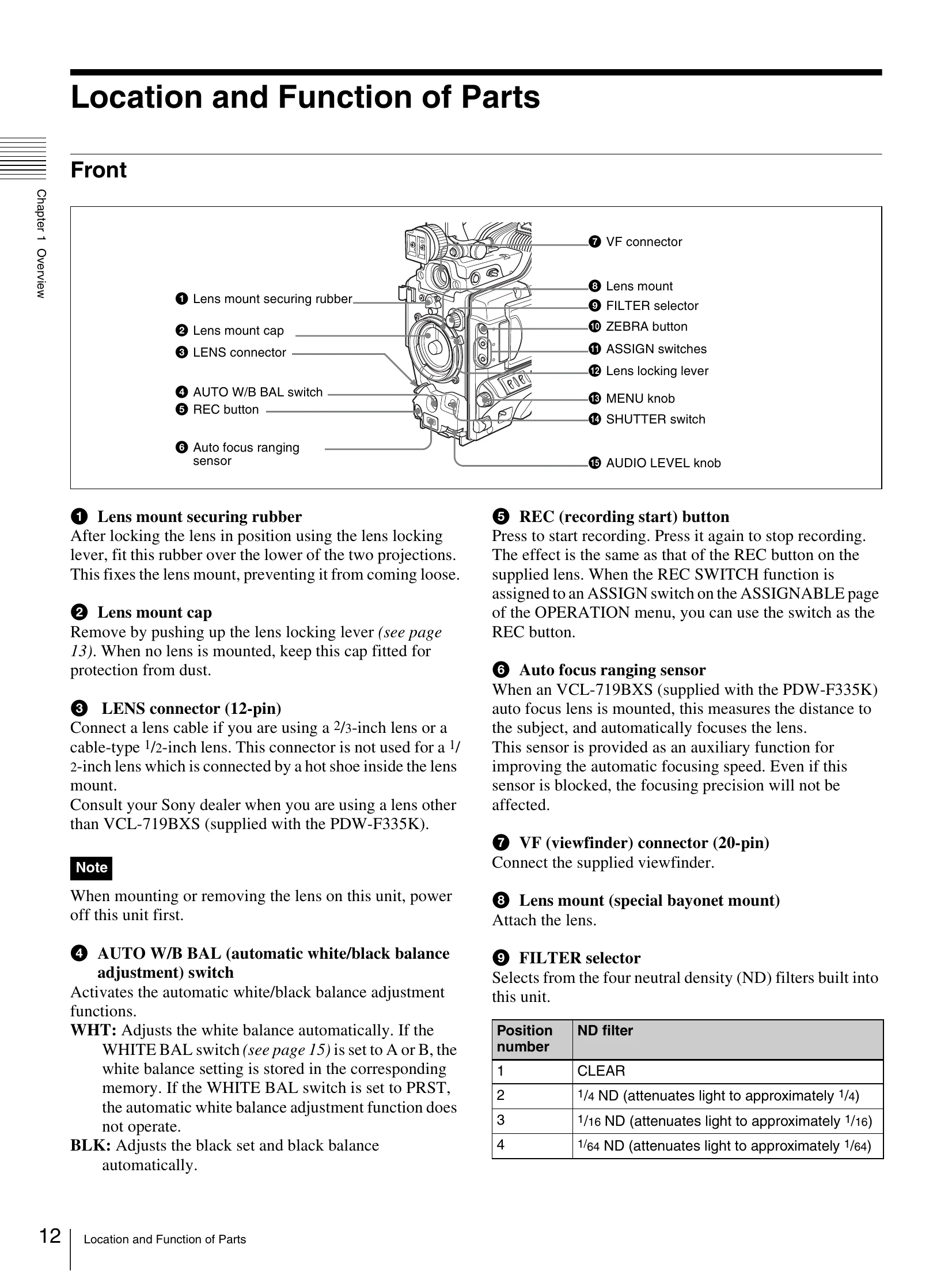
  • Recording: Press the REC button to start and stop recording. Use the VDR SAVE/STBY switch to manage power consumption during recording pauses.
  • Viewfinder: Connect the supplied viewfinder to the VF connector. Adjust its position using the viewfinder adjustment controls.
  • Lens: Mount the lens to the lens mount. Use the lens locking lever to secure it.
  • White Balance: Use the AUTO W/B BAL switch or the WHITE BAL switch (PRST, A, B) for white balance adjustment.
  • Audio: Adjust audio levels using the AUDIO LEVEL knob and select input sources with AUDIO SELECT switches.

Key Features:

  • XDCAM HD camcorder with 1/2-inch HD CCDs.
  • Supports progressive and interlace scan modes.
  • Slow shutter and time-lapse functions.
  • User-friendly interface with assignable switches.
  • 3.5-inch color LCD monitor for status and image display.
Privacy Policy