Manual for PXW-FS5/FS5M2/FS5M2K

Manual for PXW-FS5/FS5M2/FS5M2K

Brand: SONY

Category: Camcorder

Document Type: Manual

Language: EN

Uploaded: Aug. 10, 2025, 12:16 a.m.

Manual Publish Date: 2015-01-01
Getting Started

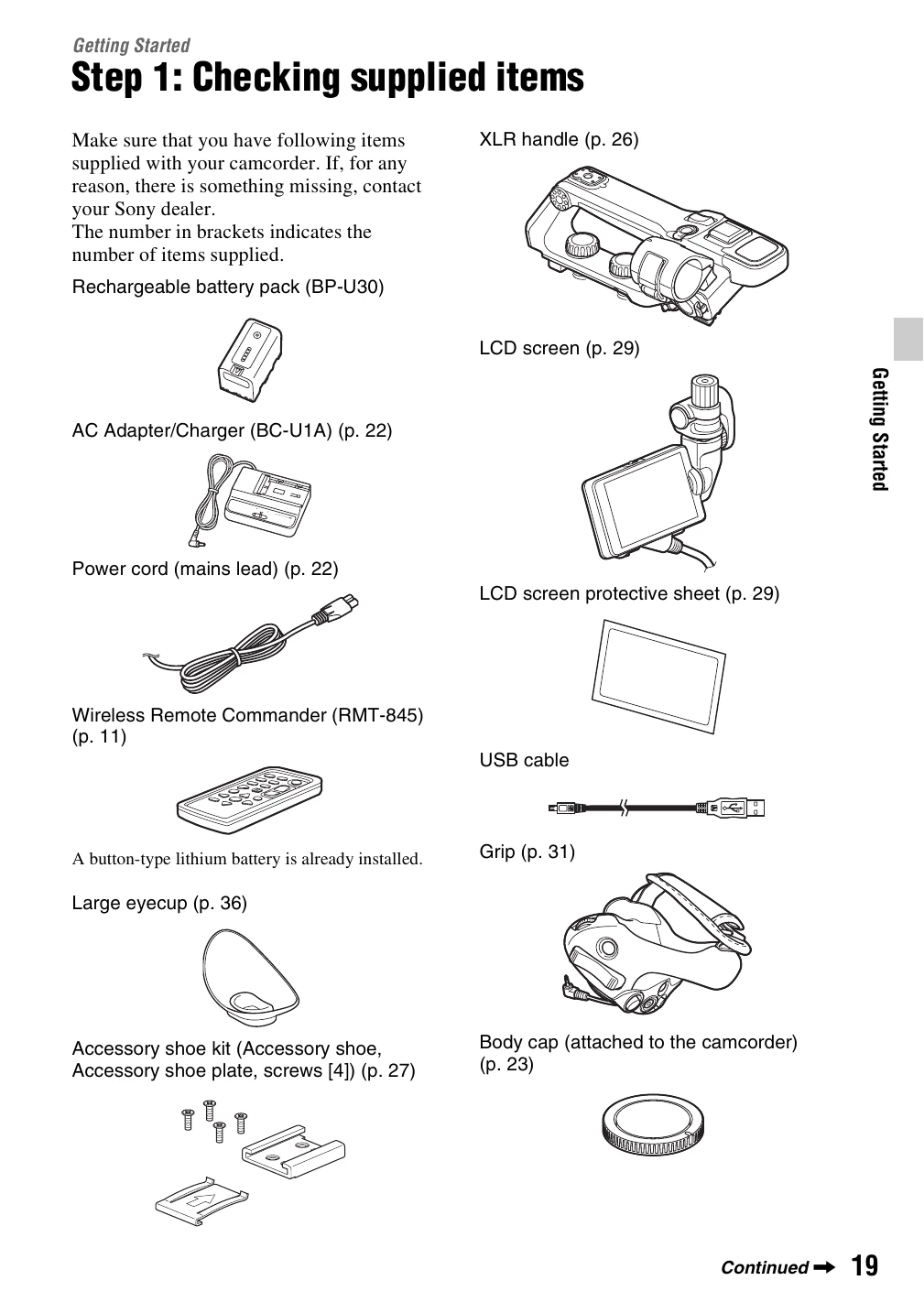
  1. Step 1: Checking supplied items: Unpack and verify all accessories are present.
  2. Step 2: Using a battery pack or AC Adapter: Connect either a battery pack or the AC adapter for power.
  3. Step 3: Attaching the lens: Mount the lens onto the camcorder body.
  4. Step 4: Attaching the handle, accessory shoe, microphone, LCD screen, and grip: Connect essential components for operation.
  5. Step 5: Turning on the camcorder and setting the date and time: Power on the device and configure basic settings.
  6. Step 6: Adjusting the LCD screen and viewfinder: Optimize viewing angles and display settings.
  7. Step 7: Adjusting the angle of the grip: Position the grip for comfortable handling.
  8. Step 8: Inserting a memory card: Load a memory card for recording.

Recording

  • Basic recording functions, including continuous recording and simul recording.
  • Adjusting zoom, focus, brightness, ISO sensitivity, and shutter speed.
  • Color tone adjustments, HDR settings, and direct menu usage.
  • Specialized recording modes like Slow & Quick Motion and Super Slow Motion.
  • RAW format recording and MPEG HD recording.
  • Audio setup for internal and external microphones.

Playback

  • Playback recorded footage.
  • Change and check camcorder settings.
  • Connect to a monitor or TV for viewing.

Editing

  • Protect, divide, and delete recorded movies.
  • Format memory cards and prevent data recovery.

Using the Menu

  • Navigate and utilize various menu items for camera settings.

Troubleshooting

  • Information on common issues, warning indicators, and messages.

Additional Information

  • Recording time, function limitations, and format specifications.
  • Maintenance, precautions, and specifications of the camcorder.
Privacy Policy