Manual for PXW-FS7M2

Manual for PXW-FS7M2

Brand: SONY

Category: Camcorder

Document Type: Manual

Language: EN
Uploaded: Aug. 10, 2025, 12:19 a.m.

Warranty Information

SONY will not be liable for damages of any kind resulting from a failure to implement proper security measures.

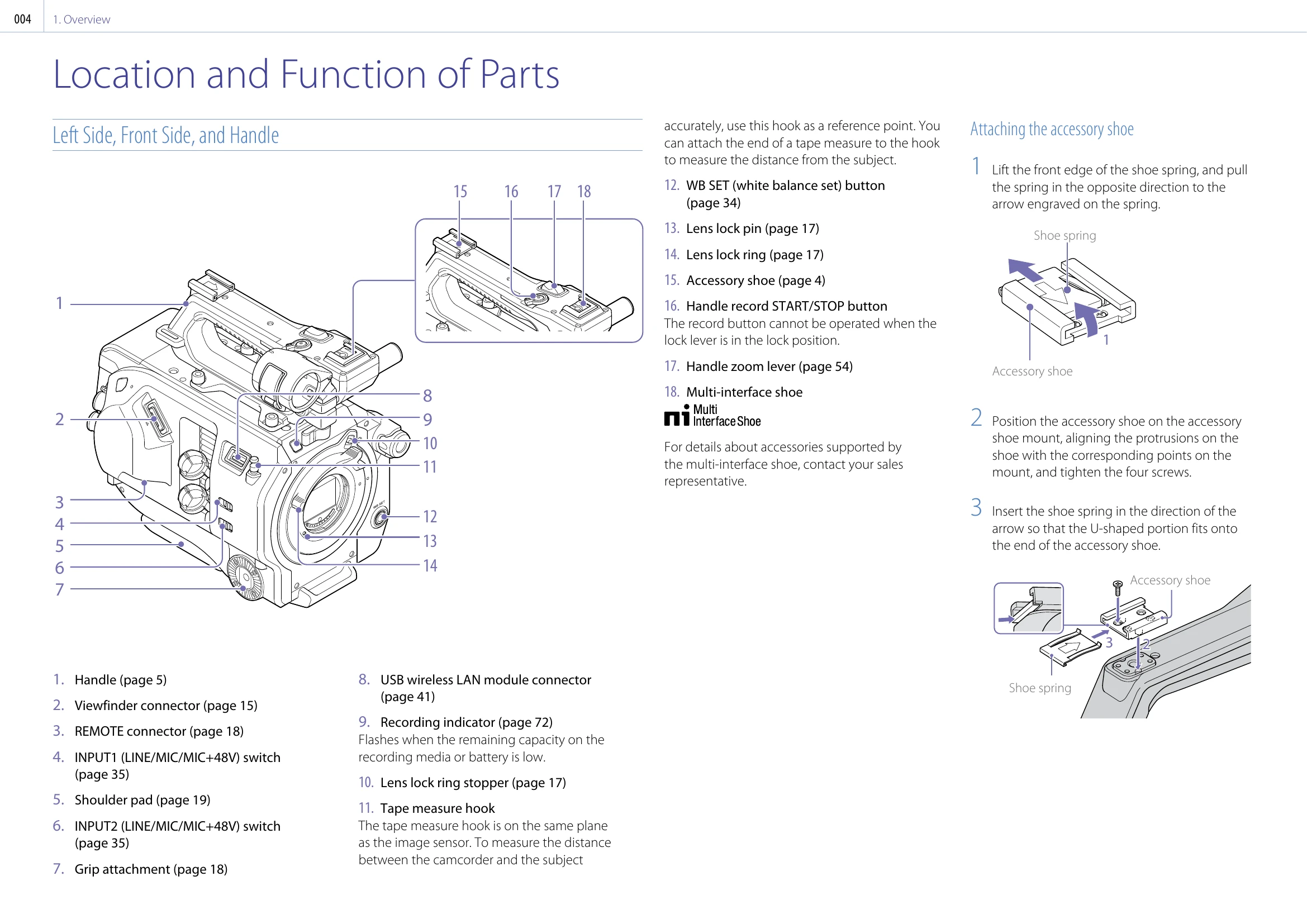
Attaching the accessory shoe

  1. Lift the front edge of the shoe spring, and pull the spring in the opposite direction to the arrow engraved on the spring.
  2. Position the accessory shoe on the accessory shoe mount, aligning the protrusions on the shoe with the corresponding points on the mount, and tighten the four screws.
  3. Insert the shoe spring in the direction of the arrow so that the U-shaped portion fits onto the end of the accessory shoe.

Attaching the Viewfinder

  1. Loosen the viewfinder clamp lever, and insert the viewfinder onto the microphone rod.
  2. Adjust the left/right positioning of the viewfinder, tighten the clamp lever, and then connect the viewfinder cable to the viewfinder connector of the camcorder.

Attaching the Eyepiece

  1. Attach the hook on the top of the eyepiece to the hook on the top of the viewfinder, and attach the metal clip on the bottom of the eyepiece to the hook on the bottom of the viewfinder.
  2. Push the lock plate on the bottom of the eyepiece in the direction of the arrow to lock the eyepiece into position.

Setting the Clock

  1. Turn the SEL/SET dial to select items and settings, then press the SEL/SET dial to apply the settings and start the clock running.
Privacy Policy