Brand: SONY
Category: Camcorder
Document Type: Quick Start Guide
Language: EN
Brand: SONY
Category: Camcorder
Document Type: Quick Start Guide
Language: EN
Uploaded: Nov. 21, 2025, 6:59 p.m.
This guide is a companion to the user manual, intended to help you get the most out of your camera.
Details on various scan modes, frame rates, and recording codecs (XAVC-I, XAVC-L, MPEG HD) are provided.
Guidance on controlling exposure using shutter speed, shutter angle, ISO, gain, dual ISO, white balance, tint, zebras, waveform, and histogram.
Information on aperture/iris control, auto exposure, ND filter system, and autofocus with focus aids like peaking and magnification.
Sections cover Gamma Settings in Custom Mode, MATRIX color adjustments, and other Custom Mode settings.
Details on Cine EI Mode, slow/quick motion, interval recording, picture cache recording, and image stabilization.
Covers audio options, recording media, backups, networking, Wi-Fi, and common error messages with solutions.
| Problem | Possible Cause | Solution |
|---|---|---|
| Restore Media message | Routine maintenance on the XQD card. | Allow the camera to complete the Restore Media function. |
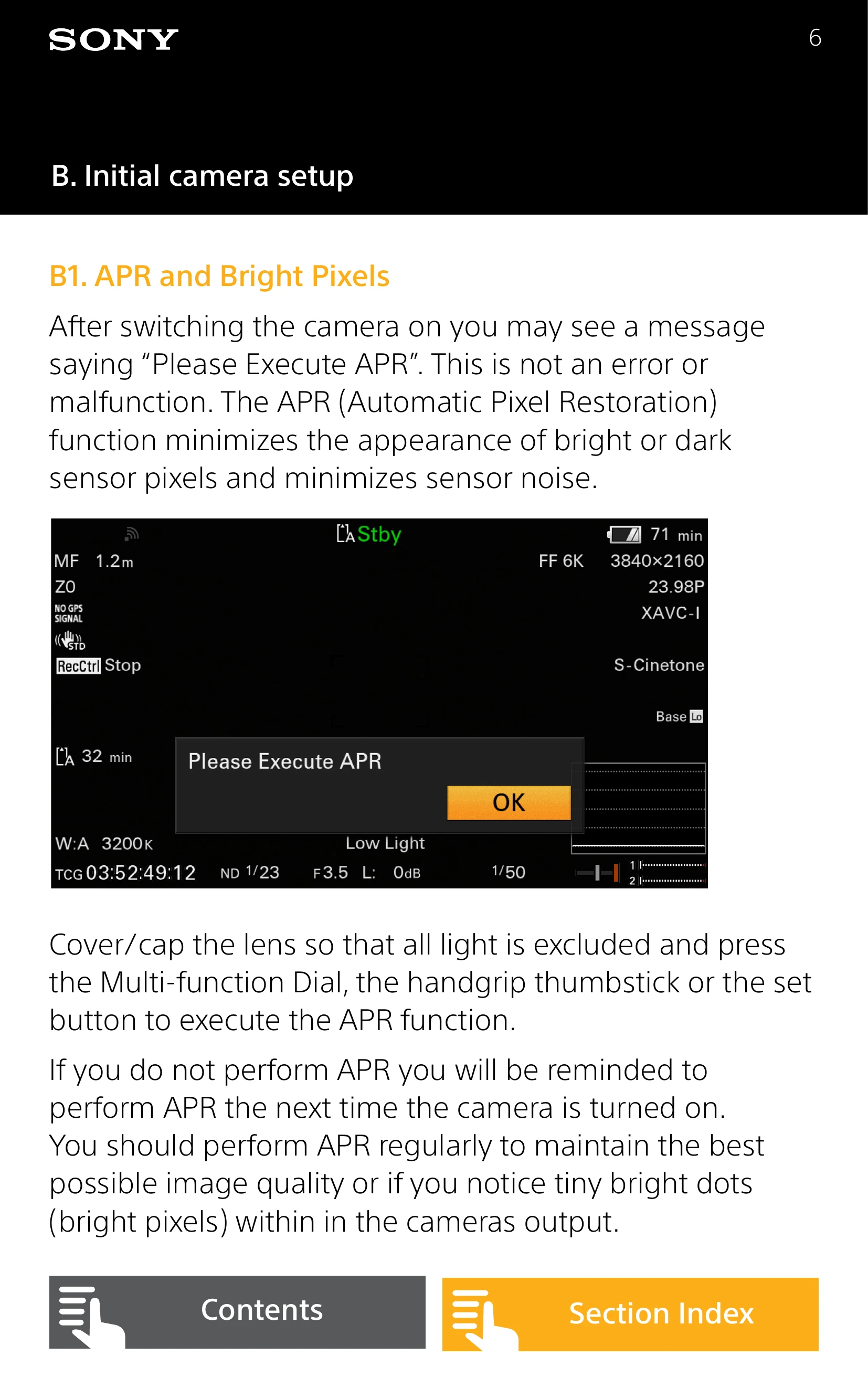
| "Please Execute APR" message | Sensor needs Automatic Pixel Restoration. | Cover the lens and press SEL/SET to execute APR. Perform regularly. |
| Audio not being recorded (S&Q/Interval Record) | Incorrect audio input level settings. | Check (MENU: Audio – Audio Input – Audio Input Level) and reset to default (99). |
| Unable to enable MLUTs | Camera not set to record UHD in Cine EI mode. | Ensure camera is set for UHD recording in Cine EI mode. |
| Cannot change SDI/HDMI output format | Picture Cache is turned on. | Temporarily turn off the Picture Cache function. |
| Cannot access network functions | Password not set up. | Set up a password in the camera's network settings. |
| Camera not performing as expected | Needs a system reset. | Perform a system reset to factory defaults (MENU: Maintainance - All Reset). |