Brand: SONY
Category: Camcorder
Document Type: Manual
Language: EN
Brand: SONY
Category: Camcorder
Document Type: Manual
Language: EN
Uploaded: Aug. 10, 2025, 12:22 a.m.
SONY is not liable for damages due to improper use, unauthorized modifications, or data loss.
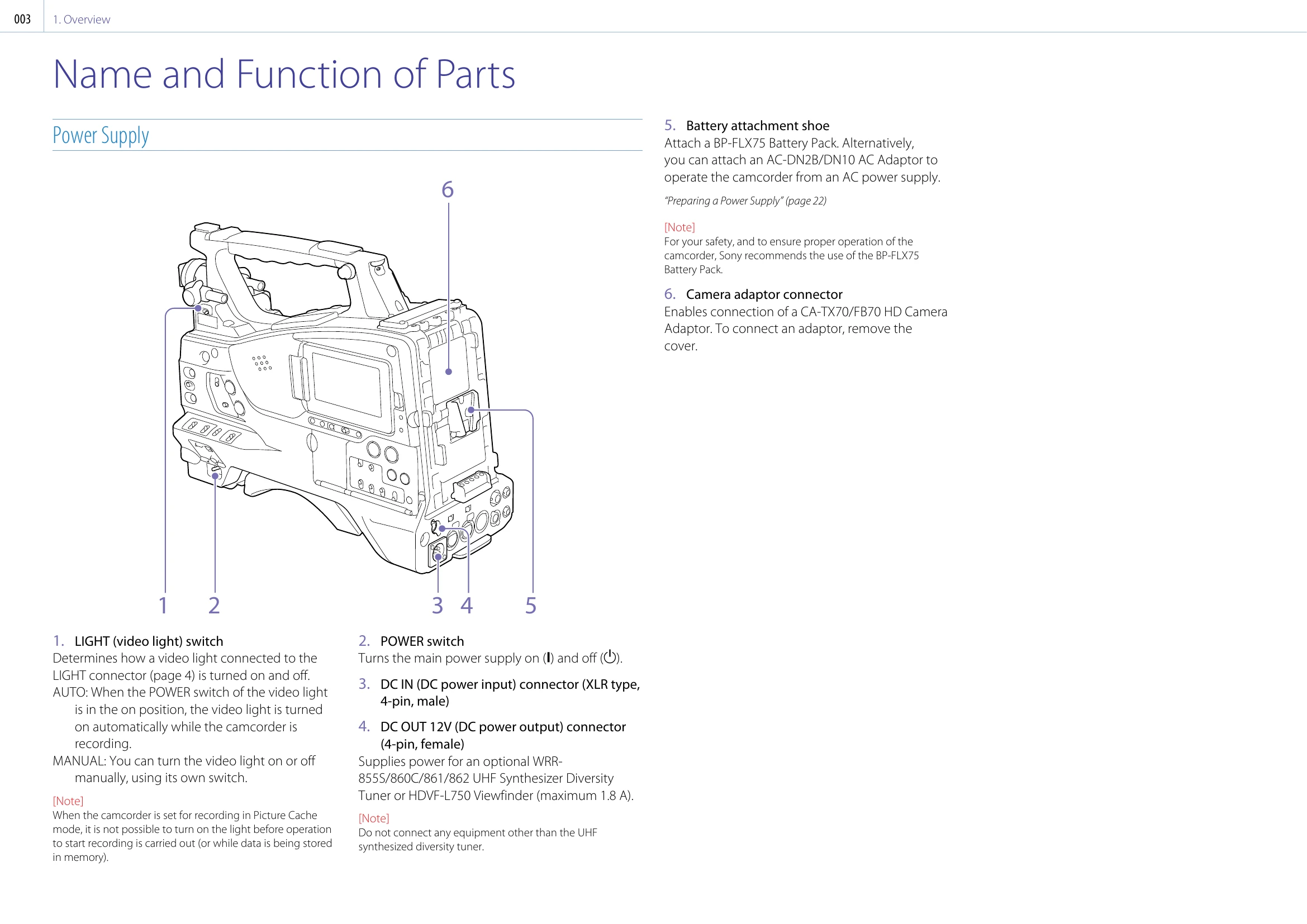
Use Sony battery packs (BP-FLX75) or AC adaptors (AC-DN2B/DN10) for power. Ensure correct battery attachment and detachment. Note that a warm battery pack may take longer to recharge.
Align the battery pack with the camcorder, slide down until it locks. Pull up to detach, holding the release button. Avoid removing the battery during recording/playback to prevent data corruption.
Mount an AC adaptor (AC-DN2B/DN10) and connect to the AC power supply.
Avoid severe shocks, covering the camcorder during operation, and always turn off the power switch before storing. Remove media before transport.
Store in a level, ventilated place. Avoid extreme temperatures, moisture, dust, direct sunlight, and strong magnetic fields. Prevent condensation by allowing the unit to acclimate to temperature changes.
Do not point the eyepiece directly at the sun to prevent damage.
The LCD panel may have a small percentage of "stuck" pixels, which is normal and does not affect recorded data.
Fine white flecks may appear due to cosmic rays, and aliasing or flicker may occur under certain lighting conditions. These are normal and not malfunctions.