Brand: SONY
Category: Smartphone
Document Type: Manual
Language: EN
Brand: SONY
Category: Smartphone
Document Type: Manual
Language: EN
Uploaded: Nov. 21, 2025, 8:03 p.m.
For warranty information, SAR, and safety guidelines, read the Important information in your device's Settings.
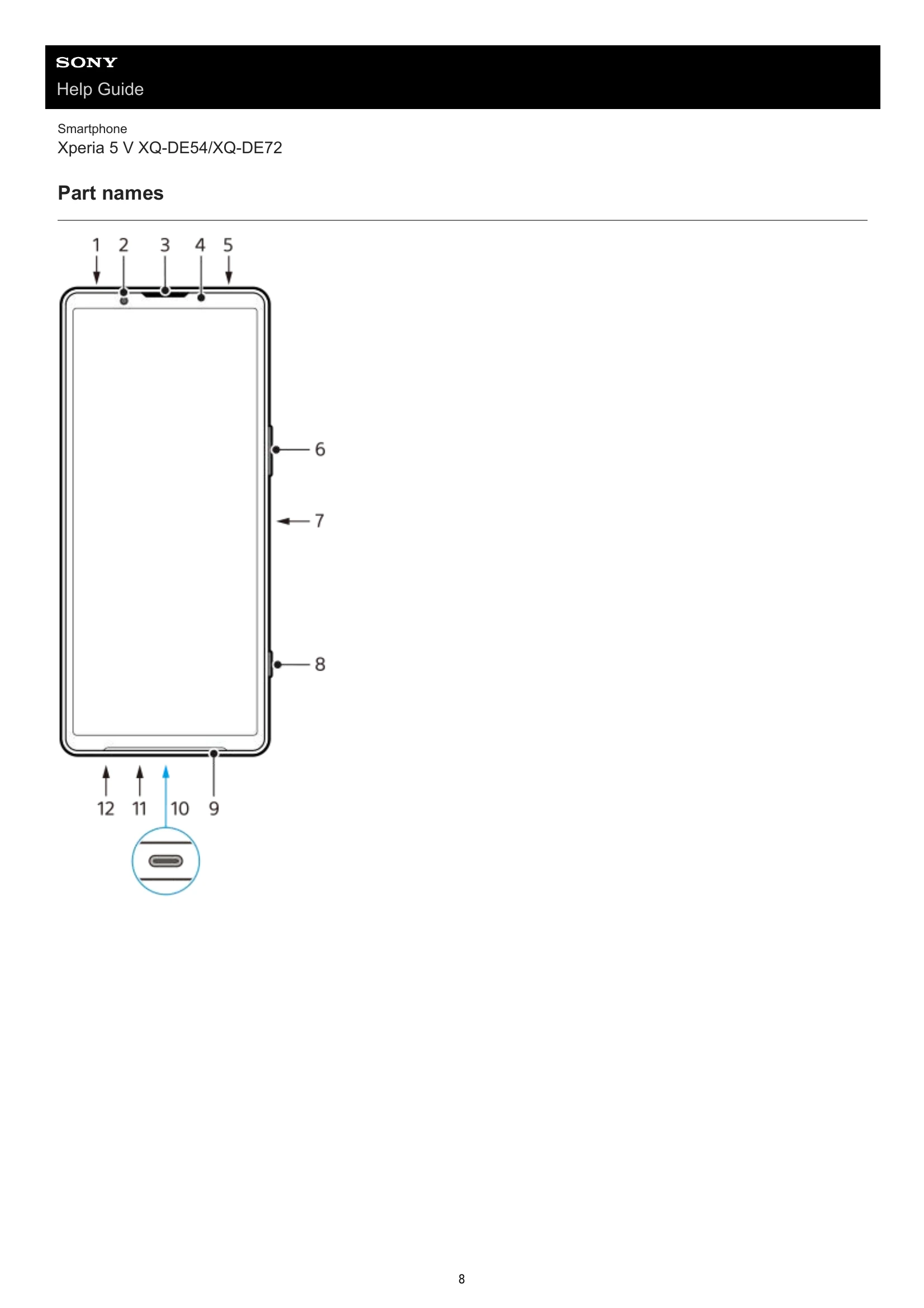
Part names: Familiarize yourself with the physical components of your device. This section includes diagrams identifying buttons, ports, cameras, and other features.
Inserting a SIM card and memory card: Learn how to insert nano SIM cards and a microSD card into the tray. The manual differentiates between models XQ-DE54 and XQ-DE72 regarding SIM card configurations.
Configuring an eSIM (XQ-DE54 only): Step-by-step instructions for setting up an eSIM, which involves scanning a QR code from your network operator.
Setting SIMs: Manage your SIM card preferences, including enabling/disabling SIMs, setting call and SMS preferences, and configuring mobile data.
Turning on your device: Instructions on how to power on your device for the first time using the power button. It also covers how to turn off the device.
Turning the screen on or off: Simple steps to briefly press the power button to wake or sleep your device.
Setting up a Google account on your device: Explains the benefits of a Google account and provides steps to create or sign in to one for accessing Google services.
Charging your device: Details on how to charge your device using a USB cable and charger. It includes important notes about using Sony-branded accessories and battery safety.
Charging your device with a wireless charger: Guide on using a Qi-certified wireless charger, including placement instructions and information on the Battery share function for charging other devices.