| No picture (screen is dark) and no sound. |
- Check the aerial connection.
- Plug the TV in and press the On/Off button on the front of the TV.
- If the standby indicator
![]() is on, press is on, press ![]() I/ I/![]() button on the remote control. button on the remote control.
|
| Poor or no picture (screen is dark), but good sound. |
- Using the menu system, select the “Picture Adjustment" menu and select “Reset” to return to the factory settings.
|
| No picture or no menu information from equipment connected to the Scart connector. |
- Check that the optional equipment is on and press the
![]() button repeatedly on the remote control until the correct input symbol is displayed on the screen. button repeatedly on the remote control until the correct input symbol is displayed on the screen.
|
| Good picture, no sound. |
- Press the
![]() +/- +/-![]() button on the remote control. button on the remote control.
- Check that “TV Speakers” is “On” on the “Sound Adjustment" menu.
- Check that headphones are not connected.
|
| No colour on colour programmes. |
- Using the menu system, select the “Picture Adjustment" menu and select “Reset” to return to factory settings.
|
| Distorted picture when changing programmes or selecting teletext. |
- Turn off any equipment connected to the Scart connector on the rear of the TV.
|
| Wrong characters appear when viewing teletext. |
- Using the menu system, enter to the “Language/Country" menu and select the country in which you operate the TV set. For Cyrillic languages, we agreement to select Russia country in the case that your own country does not appear in the list.
|
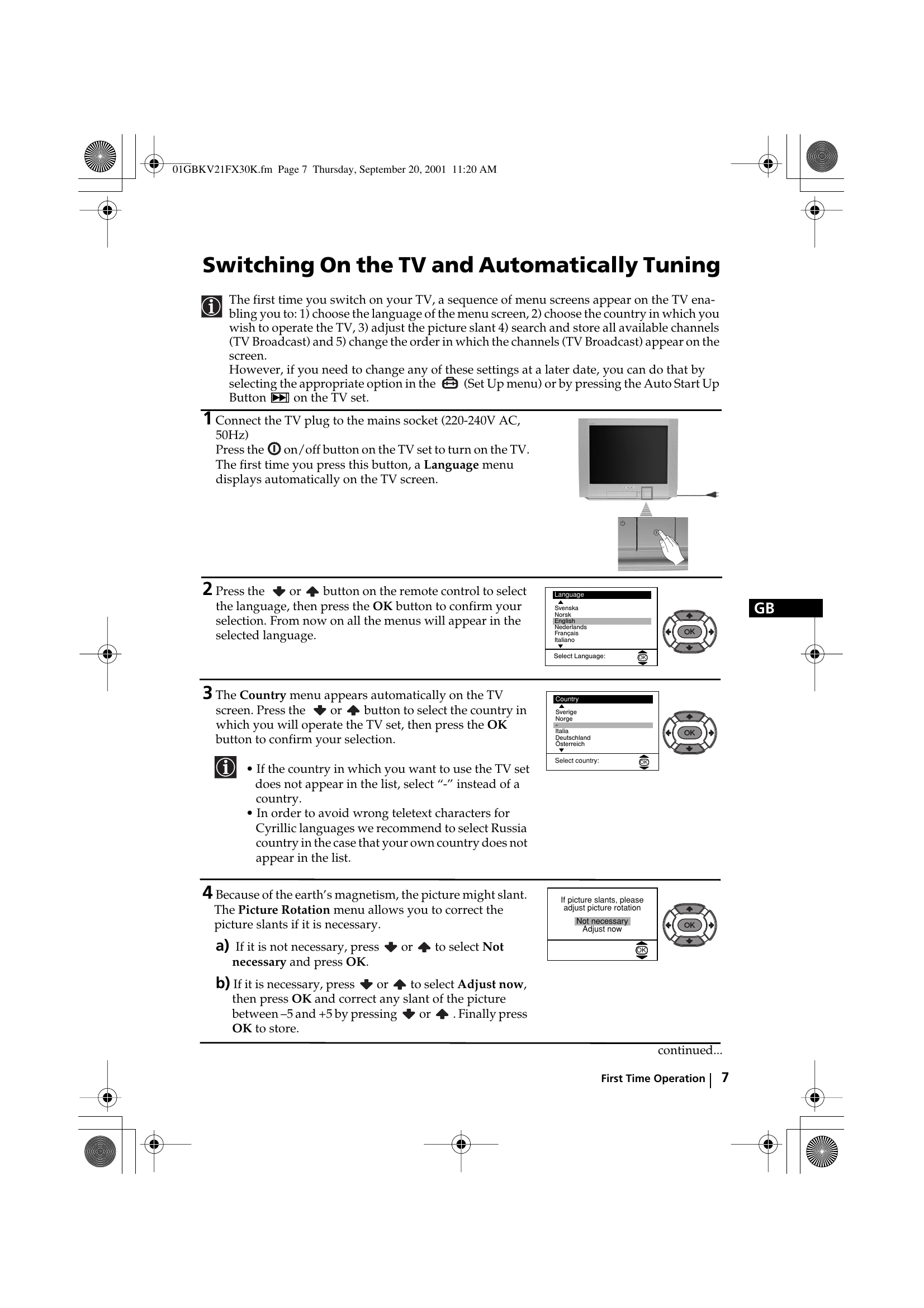
| Picture slanted |
- Using the menu system, select the “Picture Rotation” option in the "Detail Set Up” menu to correct the picture slant.
|
| Noisy picture when viewing a TV channel. |
- Using the menu system, select the “Manual Programme Preset” menu and adjust Fine Tuning (AFT) to obtain better picture reception.
- Using the menu system, select the “Noise Reduction" option in the “Detail Set Up" menu and select “Auto” to reduce the noise in the picture.
|
No unscrambling or unstable picture whilst viewing a scrambling channel with a decoder connected through the Scart connector ![]() 2/ 2/![]() . . |
- Using the menu system, select the “Set Up" menu. Then enter to “Detail Set Up” option and set “AV2 Output" to “TV”.
|
| Remote control does not function. |
|
The standby indicator ![]() on the TV flashes even though the “On Timer" on the TV flashes even though the “On Timer" |
- Contact your nearest Sony service centre.
|