Manual for MPC-3610

Manual for MPC-3610

Brand: SONY

Category: Video Camera

Document Type: Manual

Language: EN
Uploaded: Aug. 10, 2025, 12:24 a.m.

Warranty Information

SONY WILL NOT BE LIABLE FOR DAMAGES OF ANY KIND INCLUDING, BUT NOT LIMITED TO, COMPENSATION OR REIMBURSEMENT ON ACCOUNT OF FAILURE OF THIS UNIT OR ITS RECORDING MEDIA, EXTERNAL STORAGE SYSTEMS OR ANY OTHER MEDIA OR STORAGE SYSTEMS TO RECORD CONTENT OF ANY TYPE.

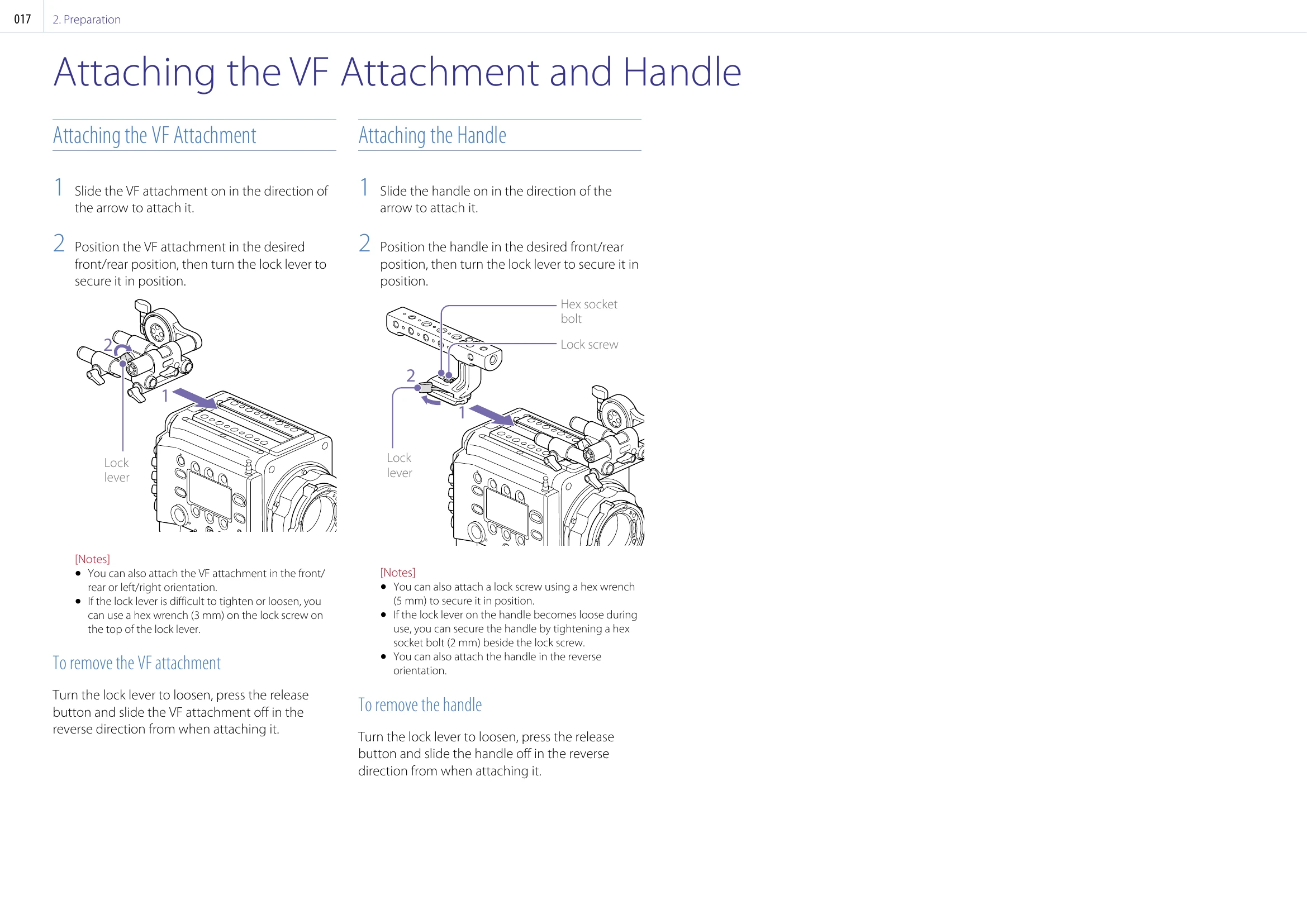
Attaching the VF Attachment and Handle

1. Align the viewfinder shoe with the groove of the viewfinder mount and attach it. 2. Turn the viewfinder lock lever to secure it. 3. Connect the viewfinder and unit using the VF connection cable.

Adjusting the Viewfinder Position

1. Loosen the rod lock levers of the VF attachment. 2. Slide the VF attachment forward/rearward to adjust the position. 3. Tighten the rod lock levers.

Attaching a Viewfinder

1. Align the viewfinder with the VF attachment and attach it. 2. Turn the lock lever to secure it. 3. Connect the VF connection cable.

Attaching the Handle

1. Slide the handle onto the viewfinder mount. 2. Turn the lock lever to secure it. 3. If the lock lever becomes loose, tighten the hex socket bolt.
Privacy Policy