Brand: SONY
Category: Video Camera
Document Type: Manual
Language: EN
Brand: SONY
Category: Video Camera
Document Type: Manual
Language: EN
Uploaded: Aug. 10, 2025, 12:19 a.m.
Manual Publish Date: 1989
Video Recording: A video recording requires one track per picture. The Mavipak can hold 50 pictures.
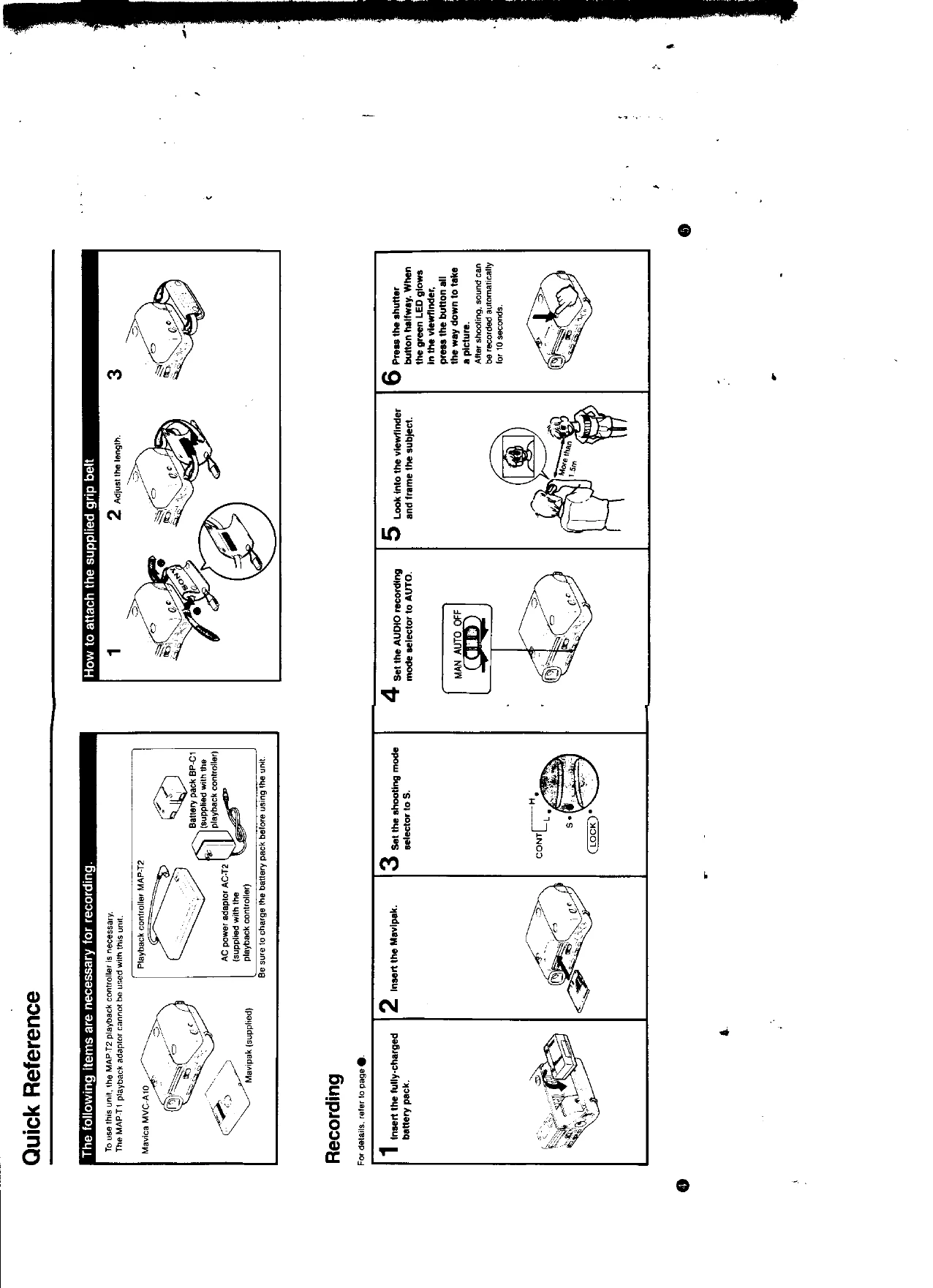
Audio Recording: Pairs of pictures and sounds are recorded, using two tracks per pair. Sound recording begins after the shutter button is pressed.
Shooting Modes: Select 'S' for single pictures, 'CONT L' for 4 pictures/sec, or 'CONT H' for 10 pictures/sec.
Audio Recording Modes: 'AUTO' records sound automatically for 10 seconds after shooting. 'MAN' allows manual sound recording within 5 minutes of shooting. 'OFF' disables audio recording.
Close-up Shooting: Set the MACRO selector to MACRO for shots as close as 50 cm (20 in.).
Self-Timer: Use the self-timer for group shots. The camera takes a picture approximately 10 seconds after the shutter button is pressed.
Backlit Situations: Press the backlight button to compensate for bright backgrounds.
The Mavica allows erasing and re-recording. Use the MAP-T2 playback controller to erase unnecessary tracks. The blank search function allows recording on non-adjacent erased tracks.
Check battery, Mavipak insertion, shooting mode, and lens conditions for common shooting issues. For sound issues, verify audio recording settings and microphone proximity. Display issues may relate to battery life or static electricity.