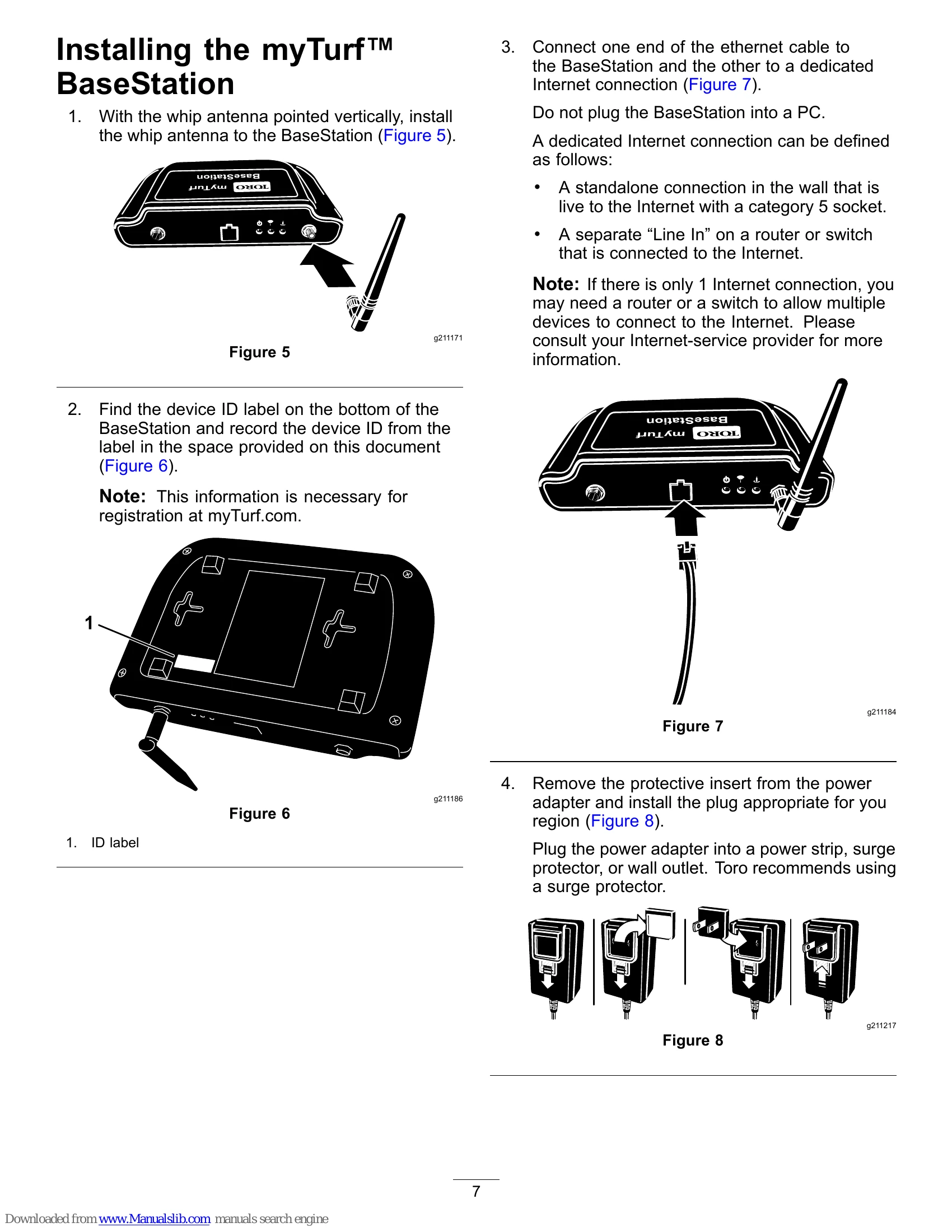
Plug the power cord into the BaseStation. When the BaseStation has power and is connected to the Internet, it will power on, validate the Internet connection, and then contact the myTurf™™ servers to establish a connection.
Ensure the power light illuminates.
Ensure the Internet connection light illuminates; it flickers and flashes steadily when functioning properly.
If the BaseStation connects to the Internet, it contacts the myTurf servers and establishes a connection. The connection indicator light will flicker and flash during the attempt, and a connection is established when the light remains steadily illuminated.
Installing the myTurf™™ Wireless Hour Meter
Record the device ID from the new wireless hour meter's label and the machine model and serial number.
Record the hours from the existing hour meter.
Remove the existing hour meter and disconnect it from the wire harness.
Install the new wireless hour meter in the same position.
Adding Wireless Equipment to myTurf™™
Log into myTurf.toro.com.
Enter user name and password.
Select the myTurf™™ Wireless tab to complete the registration process.
Use training modules to learn how to register the BaseStation, Repeater, and wireless hour meters.