Brand: TOSHIBA
Category: Camera
Document Type: Manual
Language: EN
Brand: TOSHIBA
Category: Camera
Document Type: Manual
Language: EN
Uploaded: Nov. 21, 2025, 8:10 p.m.
This document does not contain explicit warranty period details, but includes exemption clauses for Toshiba Corporation's liability.
| Problem | Cause | Remedy | Page |
|---|---|---|---|
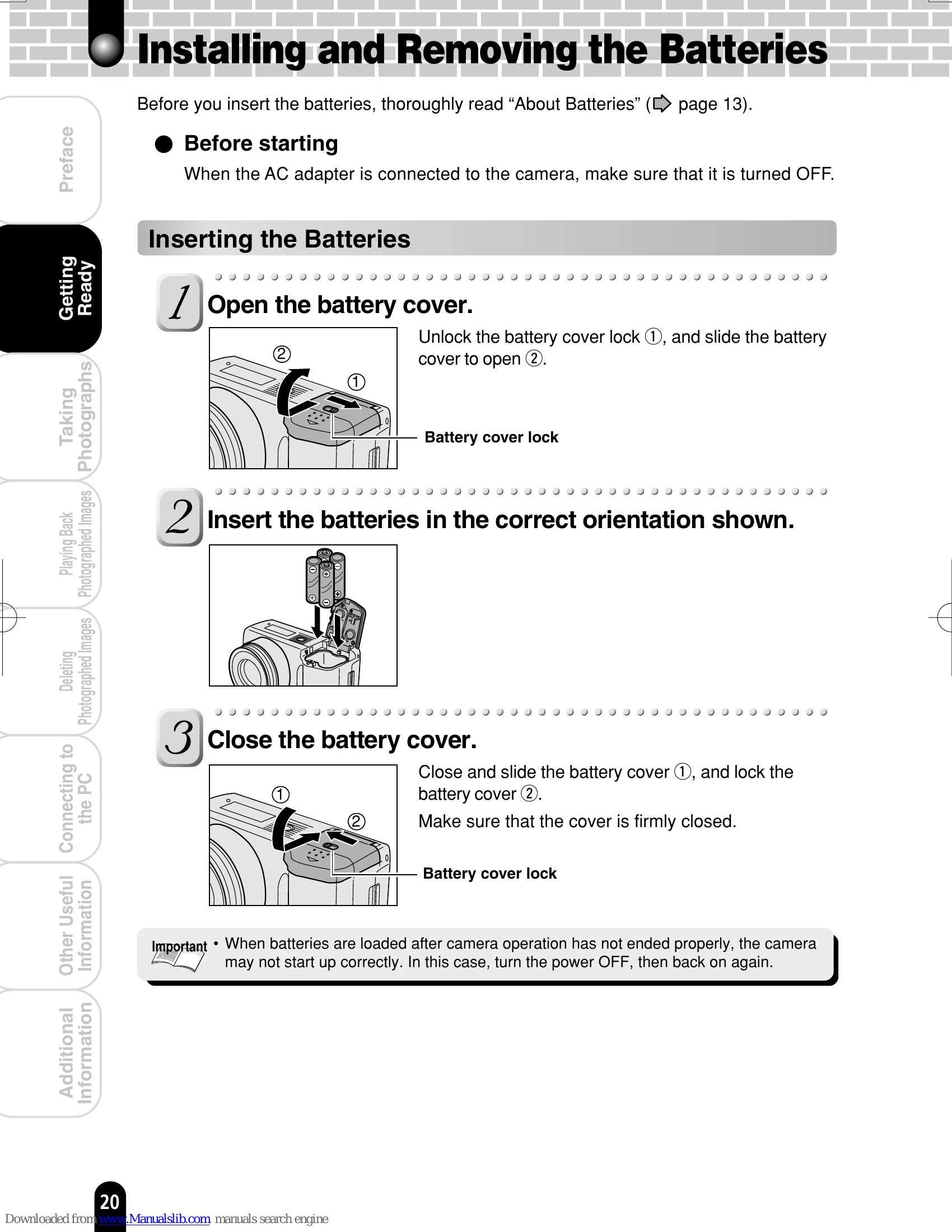
| The power cannot be turned ON. | The batteries have been exhausted. | Replace with new batteries. | 20 |
| The AC adapter plug has been disconnected from a wall outlet. | Plug the adapter into the wall outlet. | 22 | |
| The batteries in incorrectly have been loaded. | Load the batteries in the correct direction. | 20 | |
| The batteries run out quickly. | You are using the camera in extremely cold conditions. | Put the batteries in your pocket or another warm place to warm it, then load it into the camera just before taking a photograph. | 13 |
| The battery terminals are dirty. | Wipe the battery terminals with a clean, dry cloth. | 13 | |
| The batteries have reached the effective life. | Replace with new batteries. | 20 | |
| No photograph is taken when the shutter button is taken. | No SD card has been inserted. | Insert the SD card. | 23 |
| There is not enough space in the SD card. | Insert a new SD card. Erase saved images to increase free space. | 23 82 | |
| The SD card has been write-protected. | Cancel the write-protection. Replace with a new SD card. | 15 23 | |
| The SD card has not been formatted. | Format the SD card. | 84 | |
| The SD card has been damaged. | Insert a new SD card. | 23 | |
| The flash cannot be used. | Auto Power OFF is functioning. | Turn the power ON. | 24 |
| The flash is closed. | Press the flash open button to open the flash. | 34 | |
| Suppressed Flash has been selected. | Select another flash type. | 34 | |
| You pressed the shutter button while the flash was charging. | Wait until charging is completed before pressing the shutter button. | 29 | |
| The played-back image is too dark even though the flash fired. | The subject is too far away. | Move closer to the subject. | 34 |
| The played-back image is blurred. | The lens is not clean. | Clean the lens. | 12 |
| The image is out of focus. | Change the focus setting to match the distance up to the subject. | 33 | |
| The image has been shot in a unsteady hold state. | Take photographs using a tripod to prevent unsteady hold. | 31 | |
| A single image cannot be erased. | The SD card has been write-protected. | Cancel the write-protection. | 15 |
| The image has been protected. | Cancel the protection of the image. | 77 | |
| The SD card has been write-protected. | Cancel the write-protection. | 15 | |
| The image has been set with DPOF. | Cancel the DPOF setting. | 75 | |
| Nothing happens even though I operate buttons. | The mode dial setting is out of position. | Turn the mode dial to the correct position. | - |
| The camera is in the PC mode. | Set the camera to the photography or playback mode. | 28 38 53 64 | |
| Nothing is displayed even though the LCD monitor is ON. | |||
| The settings including date and time have been cleared. | Without batteries, the camera has been left for a long period time. | Load the batteries and set date and time again. | 20 25 |