Brand: TOSHIBA
Category: DVD Player
Document Type: Manual
Language: EN
Brand: TOSHIBA
Category: DVD Player
Document Type: Manual
Language: EN
Uploaded: Nov. 21, 2025, 7:03 p.m.
Manual Publish Date: 2002-09-01
| Trouble | Possible Cause | Remedy |
|---|---|---|
| No power. | AC power cord is not plugged in. | Plug the AC power cord into an outlet. |
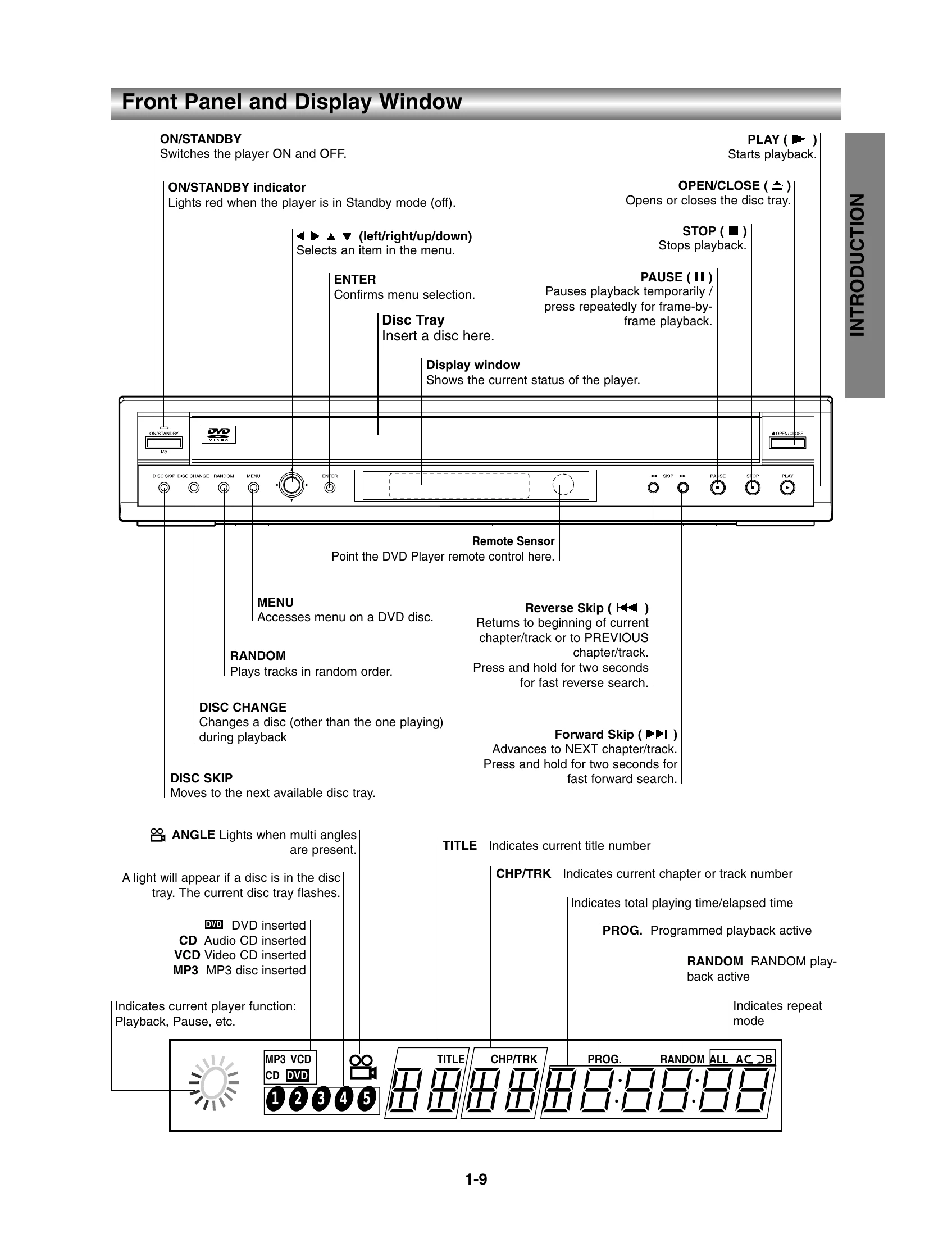
| The ON/STANDBY indicator is off. | Press the ON/STANDBY button on the remote control or the unit. | |
| The disc does not play. | The disc is inserted upside down. | Insert the disc with the label side up. |
| The disc is dirty or damaged. | Clean or replace the disc. | |
| The disc is not compatible. | Use a compatible disc. | |
| Picture is distorted or has noise. | The video cable is not connected properly. | Check the video cable connections. |
| The disc is dirty or damaged. | Clean or replace the disc. | |
| Sound is distorted or missing. | The audio cable is not connected properly. | Check the audio cable connections. |
| The selected audio language is not supported by the disc. | Select a different audio language. | |
| The unit does not respond to the remote control. | The remote control is too far from the unit or is not pointed at the remote sensor. | Move closer to the unit and ensure it is pointed at the remote sensor. |
| Batteries are low or not installed correctly. | Replace or install the batteries correctly. |