Turn on the TV and select the correct video input. Turn on the audio system and select the correct input.
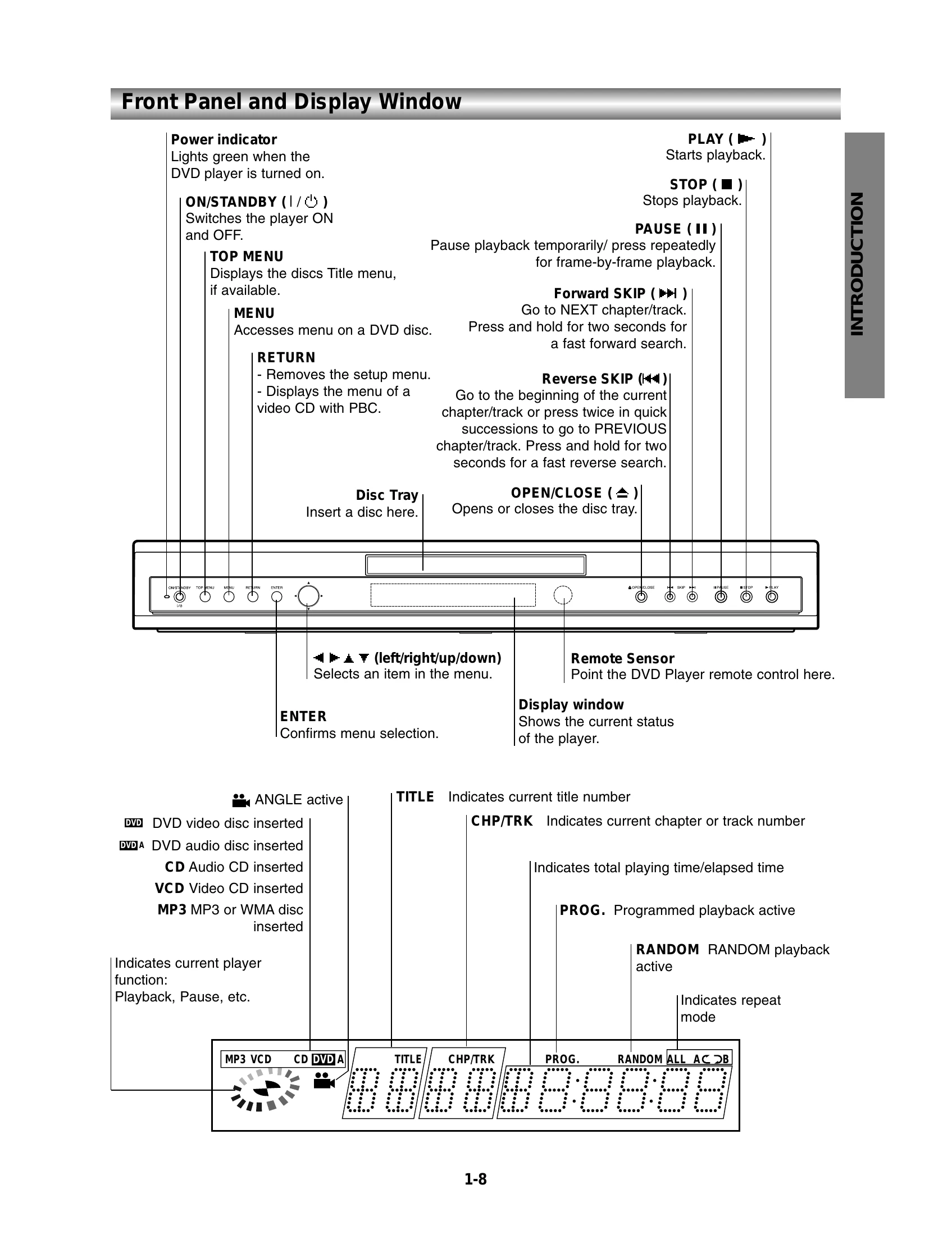
Press OPEN/CLOSE to open the disc tray.
Load the disc with the playback side down.
Press OPEN/CLOSE to close the tray. The player will display "READING" and start playback automatically. If not, press PLAY.
General Features
Moving to another TITLE/GROUP: Press DISPLAY, then enter the title/group number.
Moving to another CHAPTER/TRACK: Use SKIP (44 or ►►) briefly to go to the next/previous chapter/track. Press and hold for fast search. Use DISPLAY and number buttons for direct selection.
Search: Press REV (44) or FWD (►►) during playback to enter SEARCH mode. Use the same buttons to select search speed. Press PLAY to exit.
Pause: Press PAUSE/STEP. Press PLAY to resume.
Still Picture and Frame-by-frame playback: Press PAUSE/STEP to pause. Press PAUSE/STEP repeatedly to advance frame-by-frame.
Slow Motion: Press SLOW or during playback. Use the same buttons to select speed. Press PLAY to exit.
Random: Press RANDOM to start random playback. Press RANDOM again to exit.
Repeat A-B: Press A-B RPT at the start point, then again at the end point to set a sequence for repeat. Press A-B RPT to cancel.