Brand: TOSHIBA
Category: Other
Document Type: Manual
Language: EN
Brand: TOSHIBA
Category: Other
Document Type: Manual
Language: EN
Uploaded: Nov. 21, 2025, 7:16 p.m.
Manual Publish Date: 2018-12-01
Symbols in this manual
In this manual, some important items are described with the symbols shown below. Be sure to read these items before using this equipment.
This is a manual that is aimed at general users and administrators.
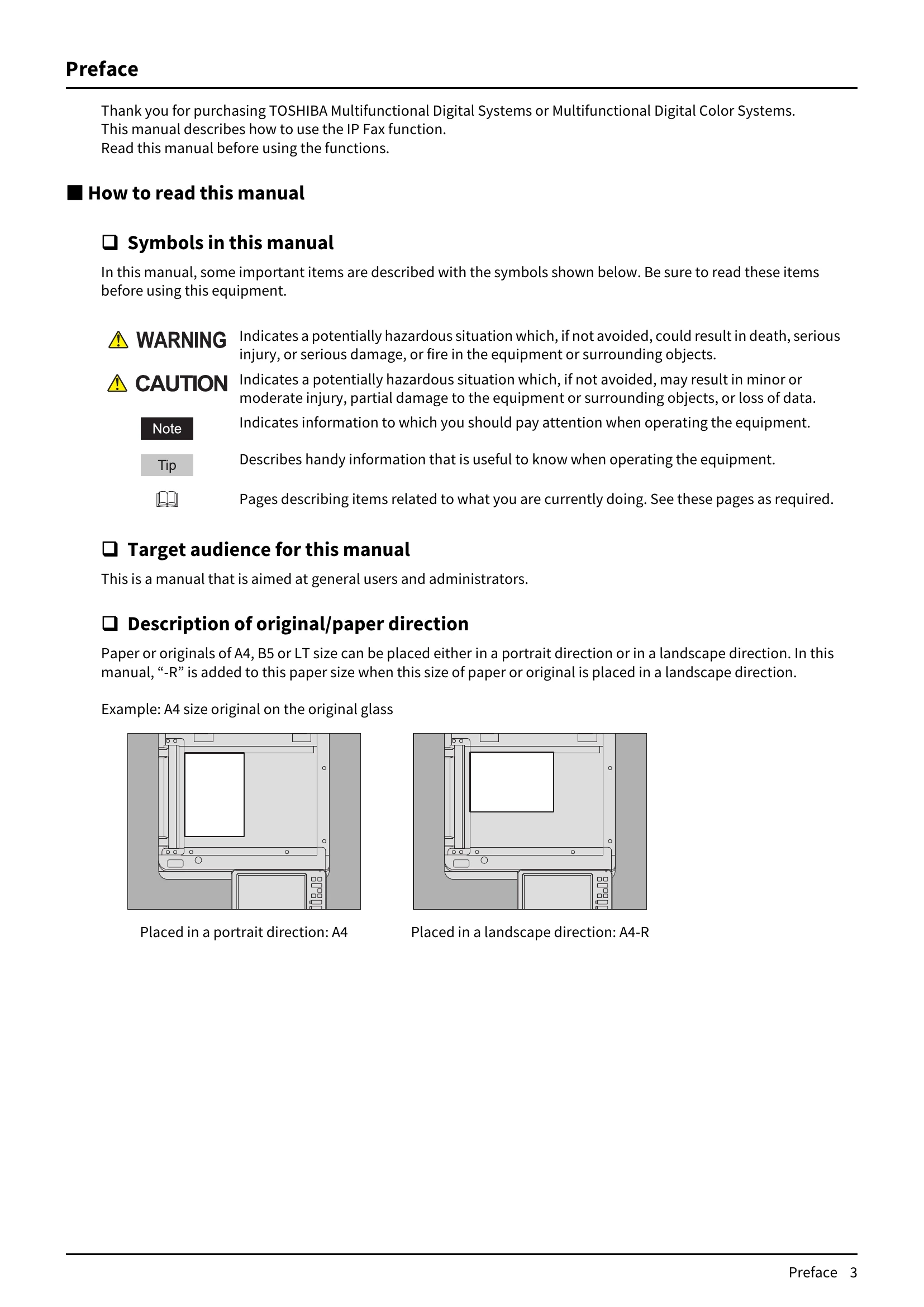
Paper or originals of A4, B5 or LT size can be placed either in a portrait direction or in a landscape direction. In this manual, "-R" is added to this paper size when this size of paper or original is placed in a landscape direction.
Example: A4 size original on the original glass

In this manual, each model name is replaced with the series name as shown below.
| Model name | Series name in this manual |
|---|---|
| e-STUDIO2010AC/2510AC | e-STUDIO5015AC Series |
| e-STUDIO2515AC/3015AC/3515AC/4515AC/5015AC | e-STUDIO5015AC Series |
| e-STUDIO2018A/2518A/3018A/3518A/4518A/5018A | e-STUDIO5018A Series |
| e-STUDIO5516AC/6516AC/7516AC | e-STUDIO7516AC Series |
| e-STUDIO5518A/6518A/7518A/8518A | e-STUDIO8518A Series |
For the available options, refer to the Quick Start Guide.
In this manual, Windows10 is taken for explanation purposes to describe the screens and operation procedures in Windows.
The details on the screens may differ depending on your model and how the equipment is used, such as the status of the installed options, the OS version and the applications.
In this manual, "Dual Scan Document Feeder" (DSDF) and "Reversing Automatic Document Feeder" (RADF) are collectively referred to as "Automatic Document Feeder" (ADF).
For trademarks, refer to the Safety Information.
| Error Code | Problem Description | Corrective Action |
| 00C8 | Communication error | Retry communications. |
| 0101, 0103-0130, 0132-013D | SIP server registration failure | Check the setting of the network or a SIP server. |
| 0102 | Time-out error | Check the setting of the network or a SIP server. |
| 0131 | SIP server registration failure | Long time taking for server registration Wait for a while. |
| 013E | IP Fax communication error | Retry sending. |
| 0140 | IP Fax start-up failure | Turn the power OFF and then back ON. |
| 0141 | Job interrupted due to setting change | Wait for a while and retry sending. |
| 0142 | IP Fax communication error | Check the destination. |
| 0143, 0300-0380, 0494-0502, 0504-0606 | IP Fax communication error | Check the setting of the network or the SIP server. |
| 0144, 0400-0423, 0480-0493, 0503 | IP Fax communication error | Wait for a while and retry sending. |
| 0150 | IP Fax communication error | Wait for a while and retry sending or receiving. |
| 0433 | IP Fax communication error | Reception has been rejected since the sender ID is anonymous. |
| 4214 | IP Fax function disabled | Enable the IP Fax function. |
| 4246 | IP Fax license not installed | Install the license of the IP Fax Enabler. |
| 4314 | There is no privilege to send an IP Fax job. | For details about the privilege to send an IP Fax job, contact your administrator. |