Brand: TOSHIBA
Category: Other
Document Type: Manual
Language: EN
Brand: TOSHIBA
Category: Other
Document Type: Manual
Language: EN
Uploaded: Nov. 21, 2025, 8:05 p.m.
Manual Publish Date: 2018-09-01
No specific warranty period is mentioned in the provided pages. The contract warranty is the sole warranty.
| No. | Item | Description |
|---|---|---|
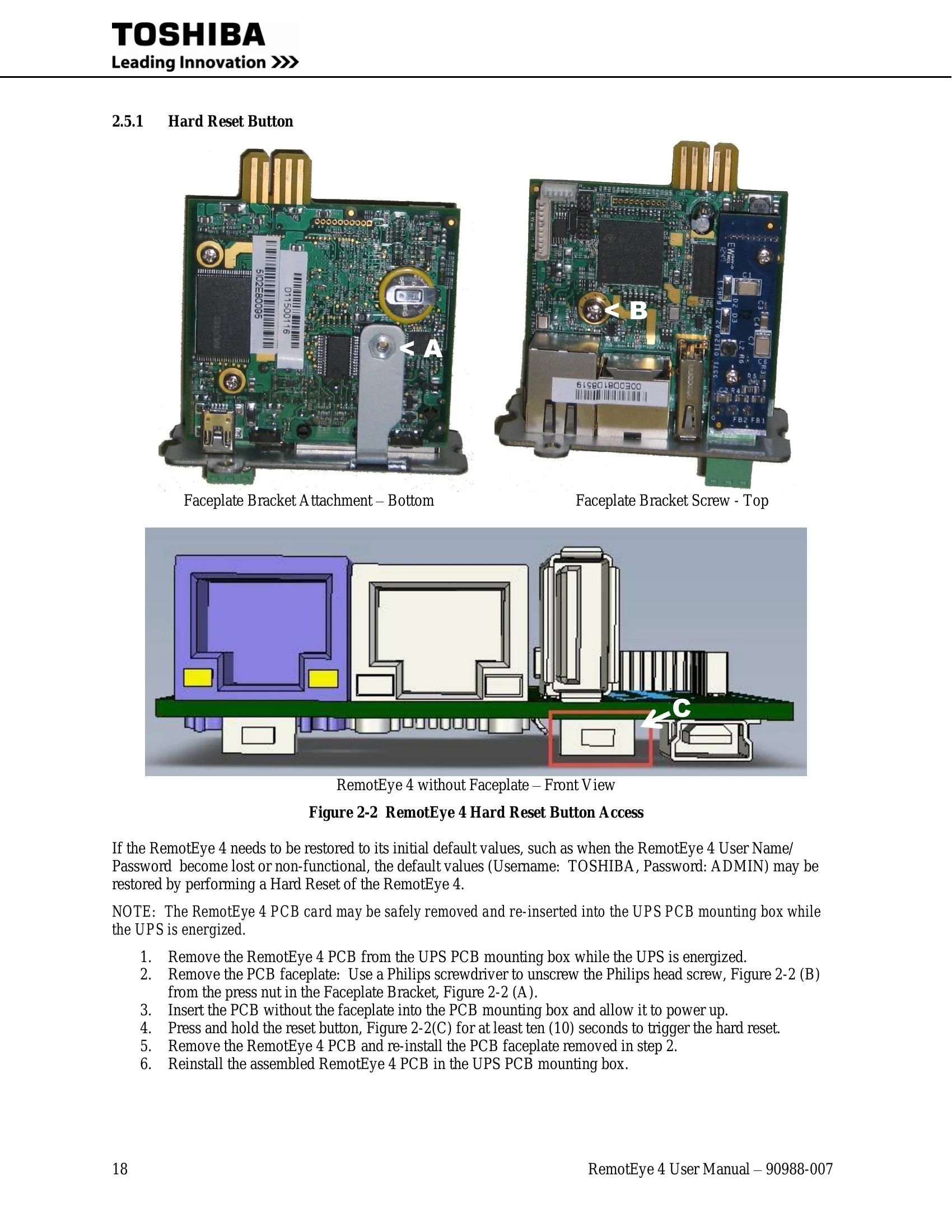
| 7 | Hard Reset button (Behind faceplate) | The Hard Reset button is located behind the RemotEye 4 faceplate, beneath the USB port. Remove the faceplate to access the Hard Reset button. With the faceplate removed and the PCB installed, press and hold the Hard Reset button for at least 10 seconds. This will restore the RemotEye 4 parameters to their default values, including the Username (TOSHIBA) and Password (ADMIN) |