CU111 Specifications
1.Overview
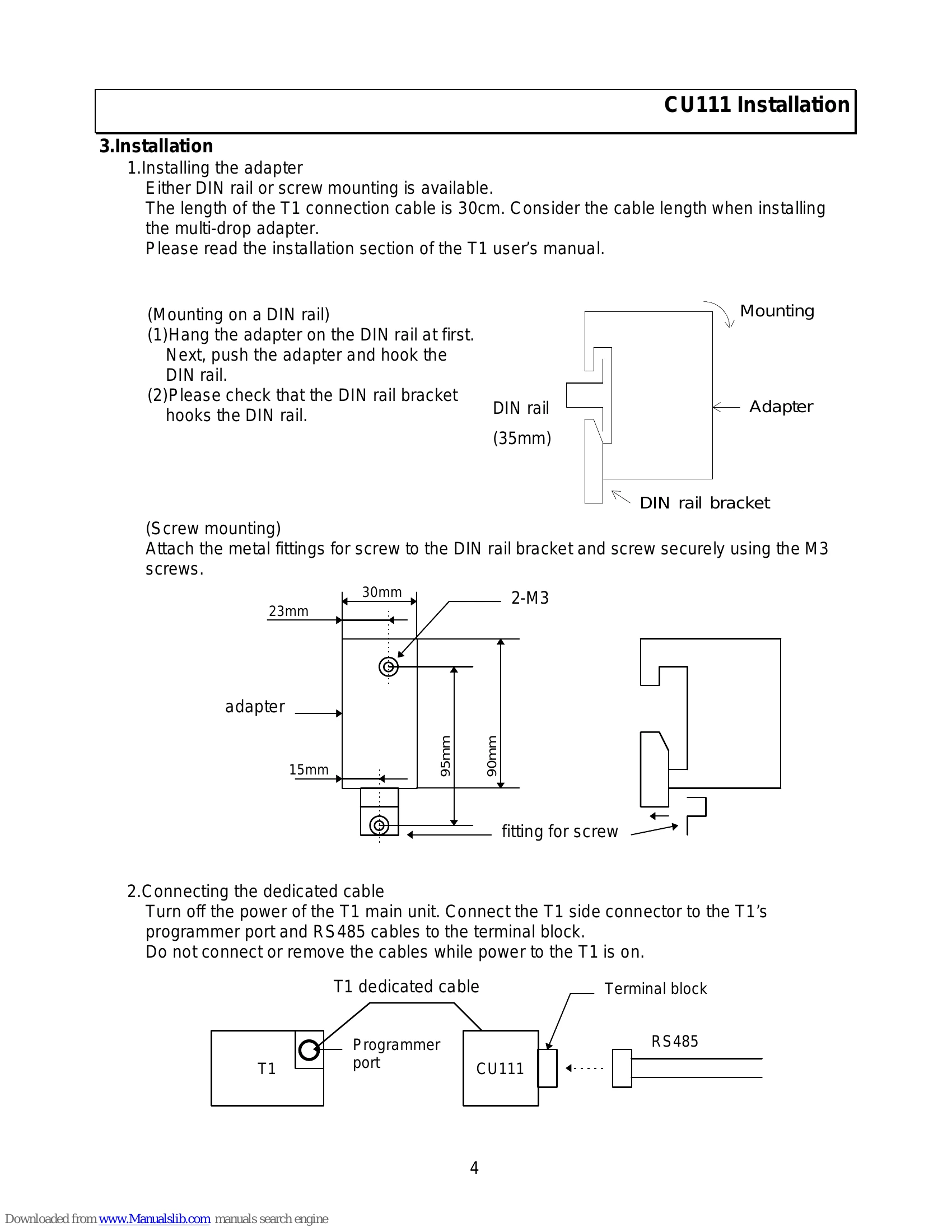
Connecting the RS232C/RS485 multi-drop adapter (CU111) to the T1's programmer port, you can use the RS485 computer link function. By this function, long-distance and one -to- N communications become available.
2.Specifications
(1)Function specification:
- Connection: RS232C (DIN - 8pin, T1 programmer port connector), RS485 (Removable terminal block, 6pin)
- Length of T1 connection cable: 30cm
- Status LEDs: 3 (Refer to table)
- Isolation: Non isolation between RS232C and RS485
- Power Supply: 5Vdc from T1 main unit
- Current consumption: 75mA
- Size: 30mm(W) × 90mm(H) × 75mm(D) (except cable)
(2)Transmission specification:
- Interface: Conforms to RS232C (T1 side), Conforms to RS485 (Host side)
- Transmission distance: 30cm (between T1 and adapter), Max. 1km (RS485)
- Transmission speed: 9600 bps
- Framing: Start bit 1bit (Fixed), Data bits 8bits (Fixed), Parity Odd parity/ Non (automatic detection), Stop bit 1bit (Fixed)
- Number of stations: Max. 32
(3)RS485 transmission cable: Shielded twisted cable conforming to RS485. Recommended 0.9mm diameter or more, 3 pairs or more cables.
(4)Operation Status LEDs:
- POWER (green): Lit (5V power is normal and connected to T1), Not Lit (5V power is not normal)
- RXD (green): Lit (Data receiving, RXD = 0), Not Lit (Data not receiving, RXD = 1)
- TXD (green): Lit (Data transmitting, TXD = 0), Not Lit (Data not transmitting, TXD = 1)