Brand: TOSHIBA
Category: Telephone
Document Type: Manual
Language: EN
Brand: TOSHIBA
Category: Telephone
Document Type: Manual
Language: EN
Uploaded: Nov. 21, 2025, 7:11 p.m.
Manual Publish Date: 2006-01-01
Refer to the manual for detailed warranty information.
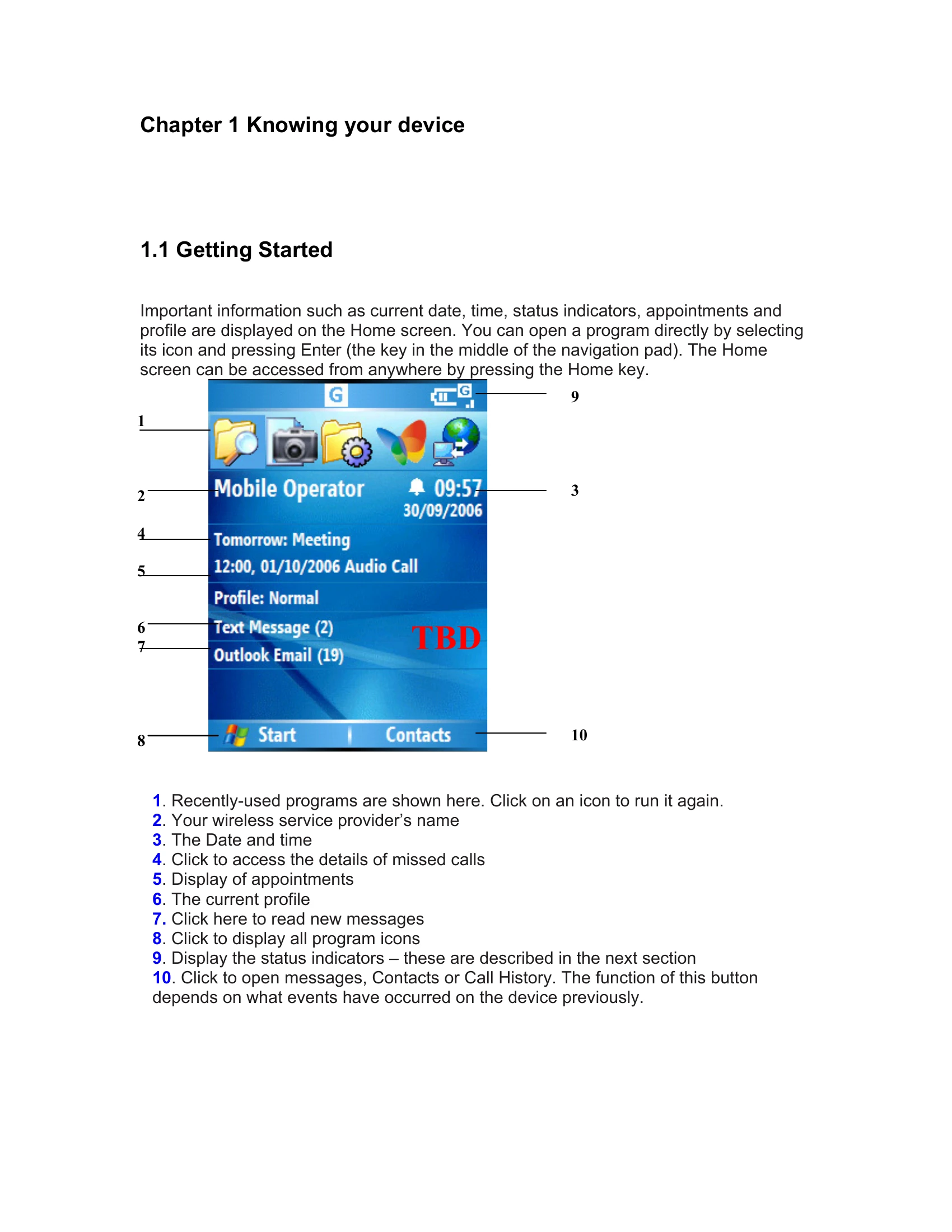
Getting Started: The Home screen displays date, time, status indicators, appointments, and profile. Access programs by selecting icons and pressing Enter. The Home key returns you to the Home screen from anywhere.
Status Indicators: Various icons on the screen indicate call status (in progress, on hold, missed), data connection, signal strength, radio status, battery level, SIM card status, GPRS availability, new messages (instant, email, text, voice mail), Bluetooth status, sync errors, and input modes (Multi-press, T9, Numeric).
Entering Information: Three input methods are available: Multi-press (tap keys multiple times for characters), T9 (press number keys corresponding to letters), and Numeric (for numbers only). Special keys like '*' and '#' are used for mode switching and entering symbols. '+' is used for international dialing.
Personalizing your phone: Customize the Home screen with images, change appearance settings (layout, color, background), and set ringtones for events. Alarms can be set, and owner information entered. Accessibility, regional, and power management settings can be adjusted. Security features like SIM PIN and keypad/device lock are available.
| Problem | Possible Cause | Solution |
|---|---|---|
| Cannot call a VoIP | Not logged into SIP Server. | Make sure you log on to SIP Server. Check contact information in your buddy list. Confirm your party's status is not offline. |
| Cannot call a phone | Not logged into SIP Server. | Make sure you log on to SIP Server. If you log on to it properly, your status (Online, Offline, Busy, or Away) is shown. |
| Cannot hear your party's voice | Speaker volume too low. Microphone muted. | Check speaker volume on your Smartphone. Check microphone volume on your Smartphone. Make sure muting microphone is not activated. |