Brand: YAMAHA
Category: Audio/Video
Document Type: Manual
Language: EN
Brand: YAMAHA
Category: Audio/Video
Document Type: Manual
Language: EN
Uploaded: Nov. 21, 2025, 8:49 p.m.
Manual Publish Date: 2020-08-01
Warranty information is not explicitly detailed in this section of the manual.
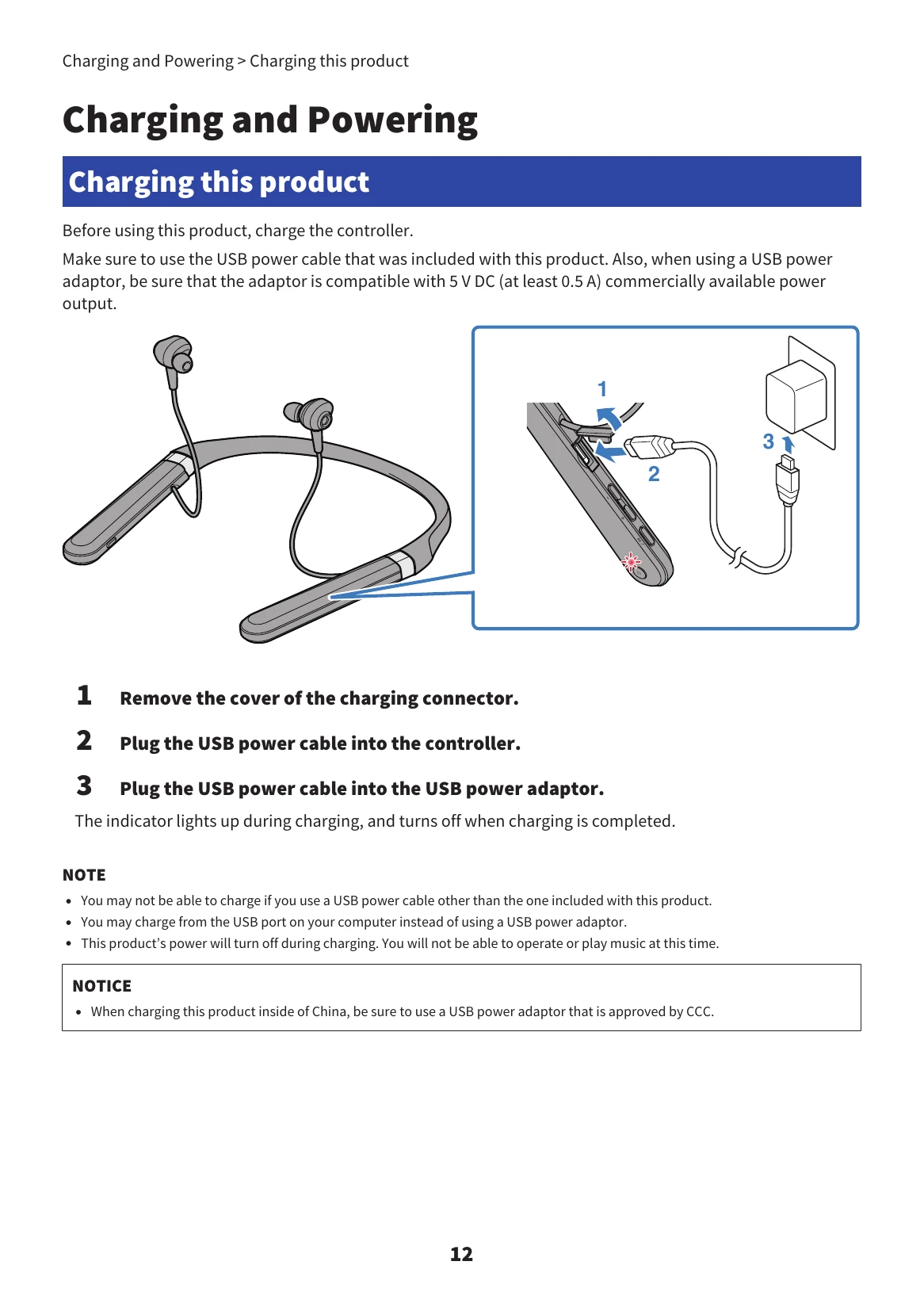
Charging: Connect the USB power cable to the controller and a USB power adaptor. The indicator lights up during charging and turns off when complete.
Power On/Off: Hold the power key on the controller for two seconds. The indicator lights up when powered on and turns blue briefly when powered off.
Battery Check: After powering on, the indicator flashes red to show battery level (three flashes: plenty, two flashes: moderate, one flash: low).
Pairing: With the controller off, hold the Power key for 5 seconds until the indicator flashes alternately blue and red. Activate Bluetooth on your device and select "Yamaha EP-E70A".
Connecting: When powered on, the earphones automatically connect to the last paired device. If not, manually connect from your device.
Using Earphones: Use the Function key to receive/end calls or activate voice assistant. Use the ANC key to switch between Noise Cancelling and Ambient Sound modes. Adjust volume with '+' and '-' keys.
App: Use the Headphones Controller app for advanced settings and firmware updates.
| Problem | Possible Cause and Solution |
|---|---|
| No sound can be heard |
|
| Voice is hard to hear | Speaking too far from the microphone: Move closer to the controller. |
| Power will not turn on | Insufficient battery power: Charge the product. |
| Product cannot be charged |
|
| Cannot connect to Bluetooth |
|
| Product does not operate or play back |
|
| Sound is distorted, noisy, or choppy | Signal instability: Move away from interference sources, place Bluetooth device closer, or turn off wireless features on Bluetooth device. |
| Problem still not resolved | Contact store of purchase or Product Support Center (Japan) or nearest authorized Yamaha dealer/service center (outside Japan). |