Brand: YAMAHA
Category: Audio/Video
Document Type: Manual
Language: EN
Brand: YAMAHA
Category: Audio/Video
Document Type: Manual
Language: EN
Uploaded: Nov. 21, 2025, 6:35 p.m.
None
GETTING STARTED
Connecting the speakers: Follow the steps to connect speakers, AM loop antenna, FM antenna, and AC power cord. A subwoofer can be optionally connected.
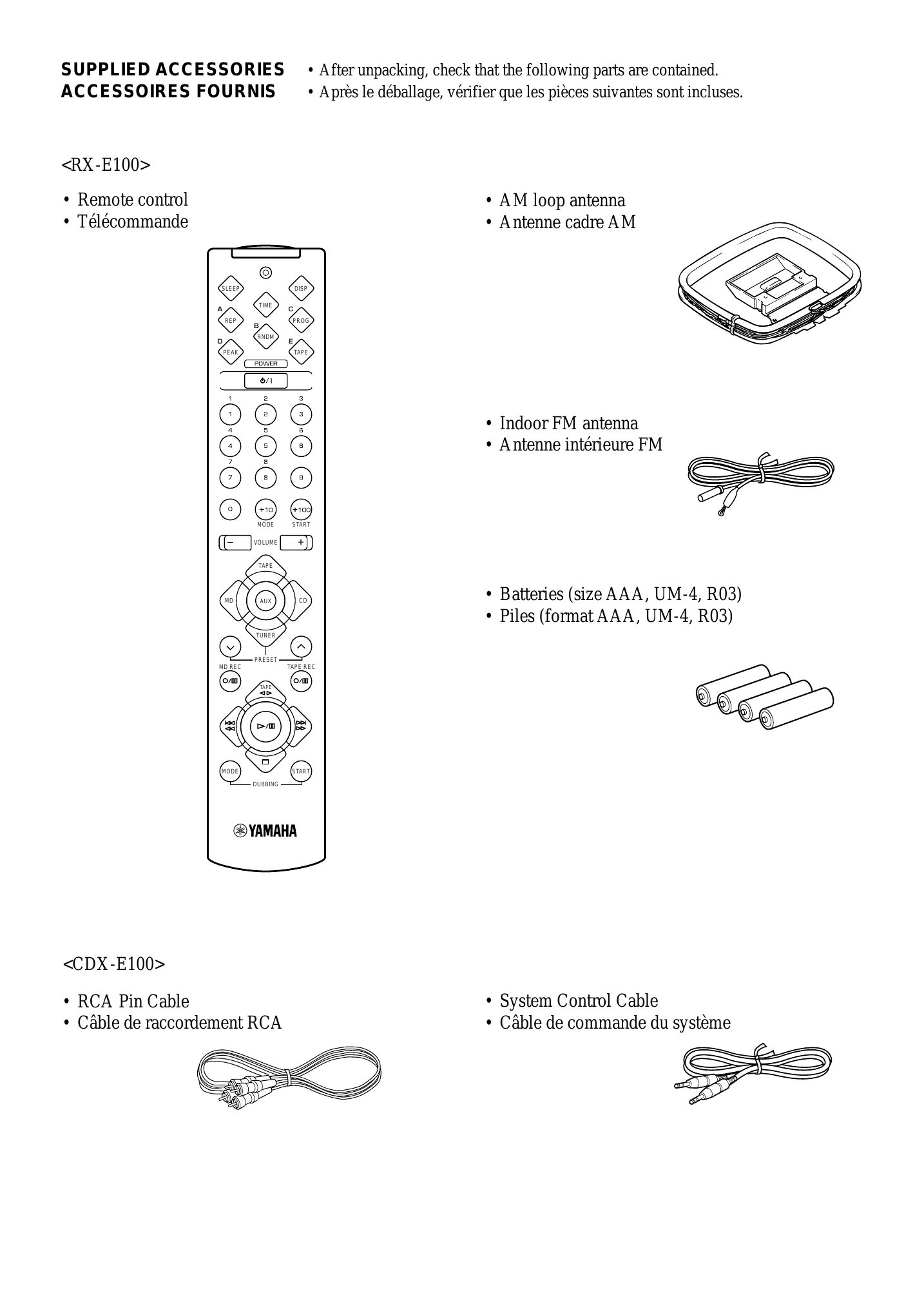
Connecting the system: Connect RX-E100 and CDX-E100 using RCA pin cable and system control cable. Optionally connect KX-E100 and MDX-E100.
RX-E100 BASIC OPERATIONS:
TUNER OPERATIONS: Find radio stations automatically or manually. Preset stations for easy access.
USING THE BUILT-IN TIMER: Set the clock, adjust display brightness. Set timer for automatic play or recording.
CDX-E100 OPERATIONS: Play CDs, pause, stop, eject. Skip or search tracks. Select time display and CD TEXT. Use random-sequence, repeat, or program play. Peak level search is available.
ADD KX-E100 AND/OR MDX-E100: Operate cassette deck and MD recorder with the remote. Set up dubbing modes for recording between components. Program tapes.
| SYMPTOM | CAUSE | REMEDY |
| The unit does not switch ON when the STANDBY/ON switch is pressed. | The AC power cord is not connected or not completely connected. | Securely connect the power cord. |
| No sound from one speaker. | Loose speaker connections. | Connect properly. |
| No sound from speakers. | Internal protection circuit is functioning. | Unplug the AC power cord from the wall outlet, and then plug in again. |
| No sound from an external unit connected with this unit or play does not begin. | Incorrect cord connections. | Connect the cords properly. If the problem persists, the cords may be defective. |
| Input source selection is not proper. | Make a proper input source selection. | |
| Excessive static in FM broadcasts. | Interference from starting motor of a nearby car. | Position the FM antenna as high and as far away from nearby roads as possible. Connect using a coaxial cable. |
| Noise increases during stereo broadcasts. | Interference from the thermostat of a nearby electrical appliance. | Check the antenna connection. |
| Stereo broadcasts are noisy and STEREO indicator blinks on and off. | Antenna input is too weak due to obstructions or excessive distance from the broadcasting station. | Install a multi-element type FM antenna if possible. |
| Cannot select preset stations. | Insufficient antenna input. | Install an antenna appropriate for the electric field strength of your area. |
| Preset memory has been erased. | Reprogram memory presets. | |
| Buzzing or static during AM broadcasts. | Interference from sources such as lightning, fluorescent lights, electric motors or thermostat of nearby electrical appliance. | The problem is difficult to eliminate, but can be lessened by grounding AM loop antenna. |
| AM broadcast sensitivity is poor. | TV or microprocessor is being used nearby. | Move away from TV or microprocessor. |
| Radio signal is weak or the antenna is not properly connected. | Properly connect the AM loop antenna. | |
| Change orientation of the AM loop antenna. | ||
| Install an external AM loop antenna. | ||
| Cannot set timer. | Current time is not set. | Set current time. |
| The unit does not work normally. | The internal microcomputer has been frozen by an external electric shock (lightning, excessive static electricity, etc.) or the power supply with low voltage. | Unplug the AC power cord from the wall outlet, and then plug in again after about one minute. |
| Play does not begin. | The disc is damaged. | Check the disc carefully; replace it if necessary. |
| There is moisture on the laser pick-up. | Wait 20 to 30 minutes after switching the unit ON before trying to play a disc. | |
| Play is delayed, or begins at the wrong place. | The disc has been loaded upside down. | Reload the disc with the label side facing up. |
| The disc is dirty. | Clean the disc. | |
| The disc may be scratched or damaged. | Check the disc carefully; replace it if necessary. | |
| CD synchronized recording or Automatic recording function does not work. | The system cable is not connected securely. | Connect the system cable properly. |
| Sound "skips." | The unit is being subjected to vibrations or impacts. | Relocate the unit. |
| The disc is dirty. | Clean the disc. | |
| Improper cable connections. | Securely connect the audio cables. If the problem persists, the cables may be defective. | |
| The disc may be warped. | Replace the disc. | |
| Noise from inside of the unit. | ||
| The remote control does not work. | The batteries of the remote control are too weak. | Replace the batteries with new ones. |
| Remote control is too far away or is being used at an incorrect angle. | Use within 6 meters and 60 degree radius. | |
| Direct sunlight or lighting (of an inverter type of fluorescent lamp, etc.) is striking the remote control sensor of the unit. | Change the position of the unit. | |
| TV functions strangely when the remote control is being used. | Remote control is being used near TV set with a remote control sensor. | Relocate this unit away from the TV or cover the TV's remote control sensor. |