Brand: YAMAHA
Category: Audio/Video
Document Type: Manual
Language: EN
Brand: YAMAHA
Category: Audio/Video
Document Type: Manual
Language: EN
Uploaded: Nov. 21, 2025, 7:31 p.m.
Manual Publish Date: 2020-04-01
Confirm package contents and important information about this manual.
Remote control, Quick Manual, Non-skid pad, Safety Brochure.
This document provides detailed instructions on operating all of the unit's functions.
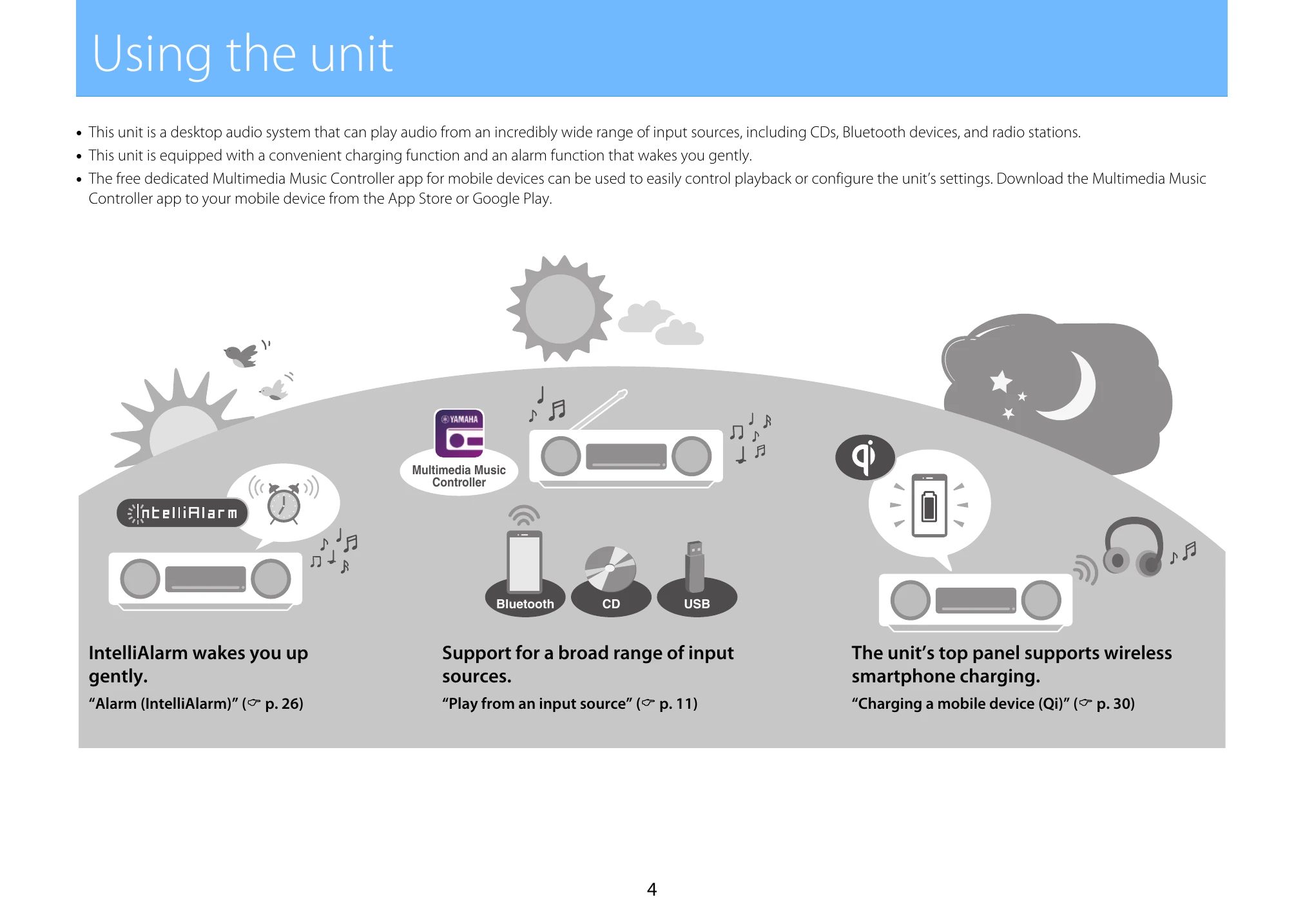
This unit is a desktop audio system that plays audio from various sources (CDs, Bluetooth, radio). It features a charging function and an alarm. A dedicated app can be used for control.
Identifies and labels all parts of the unit, including top/front and rear panels.
Explains the various indicators and information shown on the unit's display.
Details the functions of each button on the remote control.
Instructions on how to turn on the unit and set the clock and sleep timer.
Guides on listening to music from audio CDs, Bluetooth devices, DAB stations, FM radio, USB flash drives, and external devices.
Covers shuffle/repeat playback, playback information, sound quality adjustments, SCENE function, alarm settings, child lock, wireless charging, display brightness, and option settings.
Provides solutions for common problems related to the unit, Bluetooth, discs, Qi charging, USB flash drives, DAB reception, and FM reception.
Explains various messages that may appear on the display and their solutions.
Details the types of USB flash drives and discs supported, as well as supported file formats.
Lists the technical specifications of the unit.
| Problem | Cause | Solution |
| The unit turns off as soon as it is powered on. | The power cable is not properly connected. | Connect the power cable firmly. |
| The unit cannot be operated. | The internal microcomputer has frozen due to an external electrical shock (lightning, excessive static electricity, etc.) or a drop in power supply voltage. | Press and hold on the unit for at least eight seconds. The unit will be in standby mode. |
| No sound comes from the unit. | An input source has not been properly selected. The volume level is set to the minimum level or volume is muted. The TX (transmitting) mode is applied to the Bluetooth function. The external device is not firmly connected to the AUX jack. | Use the input source buttons to select an input source (p. 7). Increase the volume. Apply the RX (receiving) mode to the Bluetooth function (p. 12). Confirm that the external device is firmly connected to the unit's jack. If there are no problems with connection, check that cables may be damaged. |
| Noise is heard. | The audio cable used to connect the unit and external device may be damaged. | Confirm the audio cable connection. If there are no problems with connection, use another audio cable. |
| The unit suddenly turns off. | The sleep timer has been set (p. 10). The auto power standby function is activated. (p. 9). | Turn on the unit and play the source again. |
| Breaks, distortion, or unusual noise can be heard. | The volume (especially the bass) is too high. | Decrease the volume, or adjust the bass (p. 24). |
| The unit's clock is reset. | Power has not been supplied to the unit for more than one week. | If the power cord has been disconnected from the electrical outlet for more than one week, the clock may be reset. Set the clock again (p. 10). |
| Interference from nearby electronic equipment is producing noise. | The unit is too close to other electronic equipment. | Position the unit farther away from other electronic equipment. |
| The remote control does not work or does not function properly. | The remote control may be outside its operation range. The remote control sensor on this unit may be exposed to direct sunlight or strong lighting such as an inverter type fluorescent lamp. The battery may be worn out. There are obstacles between the sensor of this unit and the remote control. | Operate the remote control within its operation range (p. 9). Change the orientation of lighting or the unit, or location of the unit. Replace the battery (CR2025) with a new one (p. 8). Remove the obstacles. |
| The touch sensors on the unit cannot be operated. | The child lock function is enabled. Objects have been placed on the touch sensors. | Disable the child lock function (p. 29). Do not place objects on the touch sensors. |