Manual for 25

Manual for 25

Brand: Yashica

Category: Camera

Document Type: Manual

Language: EN
Uploaded: Aug. 10, 2025, 12:50 a.m.

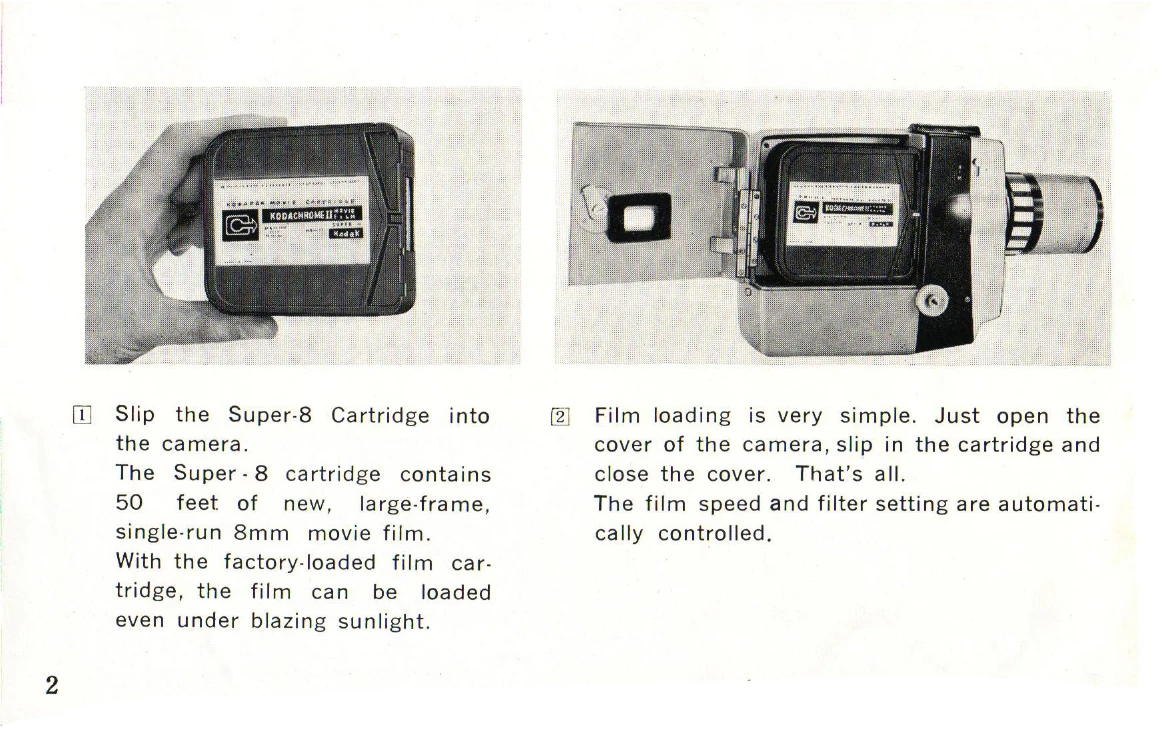
Loading the Film

  1. Open the camera cover by turning the Cover Lock Lever.
  2. Insert the Super-8 cartridge, aligning the locating slot with the locating pin.
  3. Close the cover and turn the Cover Lock Lever to secure it.
  4. The footage counter should now display "0", indicating the camera is ready to shoot.

Loading Batteries

  1. Turn the Battery Chamber Lock Knob and slide the Battery Chamber Cover backward.
  2. Insert four penlite (AA) batteries, ensuring correct polarity.
  3. Replace the Battery Cover. The film drive will not operate if batteries are inserted incorrectly.

Battery Check

  1. Press the Battery Check Button at the "A" position of the Exposure Control Knob.
  2. Look through the viewfinder. If the battery tester shows blue, the battery power is sufficient.
  3. If the battery tester shows white, the battery power is insufficient, and new batteries are required.

Shooting

  1. Set the Exposure Control knob to "A" for automatic exposure.
  2. Look through the viewfinder to frame your shot. The electric-eye automatically sets the exposure.
  3. Press the shutter release button to record.

Zooming and Focus

  • Use the Zooming Lever to adjust the focal length from 12mm to 30mm.
  • The camera features a fixed-focus lens, so no manual focusing is required.

Shutter Ring

  • In normal use, align "N" on the Shutter Ring with the triangle on the camera.
  • Turning the ring to "L" locks the shutter release button.
  • For continuous shooting, depress the shutter release button, set the ring to "N", and while holding the button, turn the ring to "L".

Single Frame Exposure

  • Set the figure "I" on the shutter release button ring opposite the triangle.
  • Depress the shutter release button to expose a single frame.

Manual Exposure Control

  • Release the Exposure Control from "A" to use manual control.
  • Adjust the Exposure Control Knob vertically to set the desired f/stop opposite the indicator in the viewfinder.
  • Manual exposure provides f/stops from f/2.8 to f/16.

Movie Light and Filter Key

  • For indoor filming with tungsten film (ASA 40), insert a movie light into the top slot. This automatically removes the built-in type-A filter and sets the film speed to ASA 40.
  • Use the Filter Key for other types of movie lights.
  • Remove the movie light or filter key when making outdoor movies.

Unloading

  • When the Footage Counter reaches 50, the entire film roll has been exposed.
  • Advance the film until the red portion of the Footage Counter Window aligns with the red triangle, then remove the exposed cartridge.
  • The Footage Counter automatically resets to "0" when the cartridge is removed.

Depth of Field

Refer to the depth-of-field tables for information on focus ranges at different focal lengths and f-stops.

Privacy Policy