Brand: Yashica
Category: Camera
Document Type: Manual
Language: EN
Brand: Yashica
Category: Camera
Document Type: Manual
Language: EN
Uploaded: Aug. 10, 2025, 12:50 a.m.
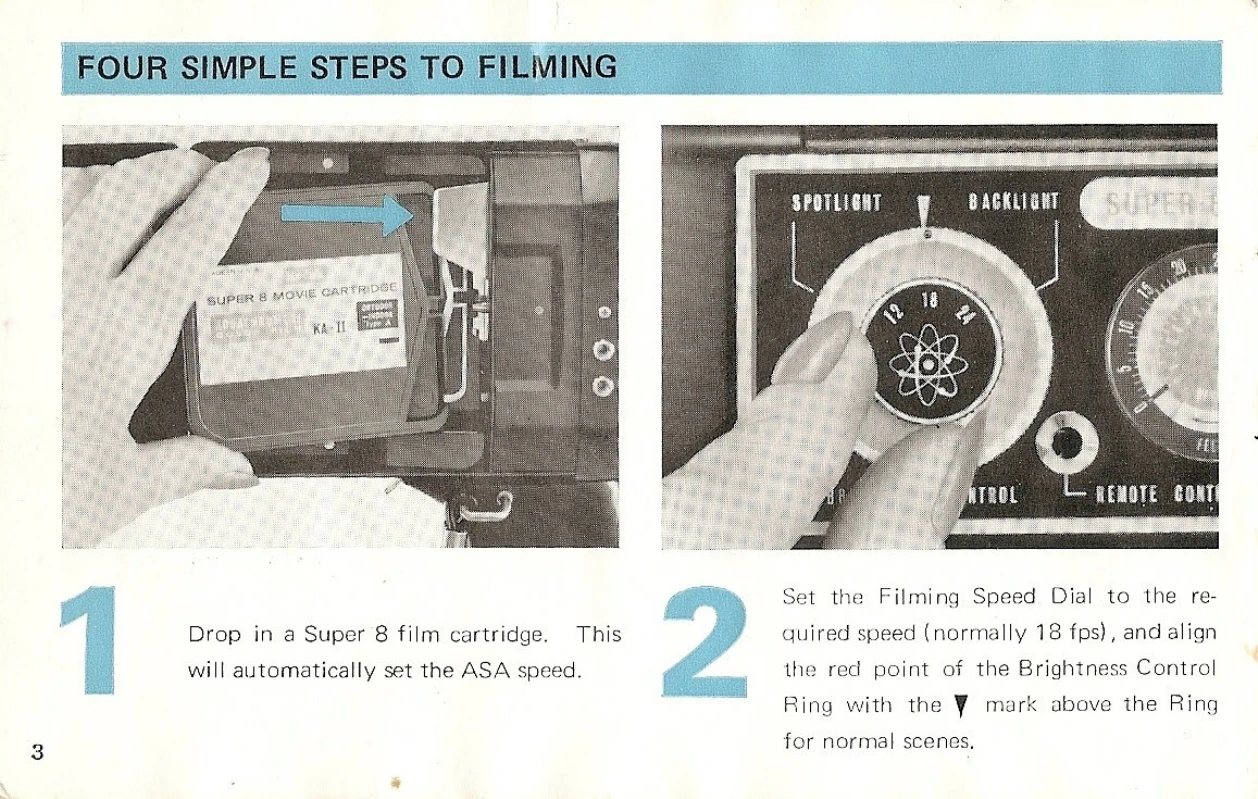
1. Load Film: Drop a Super 8 film cartridge into the camera. The ASA speed is set automatically.
2. Set Filming Speed and Brightness: Select the desired filming speed (e.g., 18 fps) using the Filming Speed Dial. Align the red point of the Brightness Control Ring with the appropriate mark (e.g., the 'V' for normal scenes).
3. Set Shutter Control: Set the Shutter Control Ring to 'N' for normal filming.
4. Focus and Shoot: Focus using the lens and press the Shutter Release Trigger to begin filming.
Battery Loading: Unscrew the base of the grip, insert four 1.5V AA batteries, and reassemble. Check battery power using the checker button; a green light indicates functionality.
Viewing and Focusing: Use the viewfinder for parallax-free viewing. Adjust dioptric settings for clear vision. Zoom to the extreme, then rotate the Focusing Ring until the subject is sharp.
Exposure Control: The SERVOMATIC EXPOSURE CONTROL SYSTEM automatically sets the aperture. Ensure the Exposure Window indicates correct exposure, avoiding the red warning area.
Brightness Control: Use the 'SPOTLIGHT' or 'BACKLIGHT' positions on the Brightness Control Ring for specific lighting conditions.
Zoom: Use the 'WIDE' and 'TELE' buttons to adjust the focal length for different shots.
Movie-Light Use: Mount a Super-8 movie-light for indoor shooting; it sets the camera automatically. Use the filter key if the light doesn't fit the slot.
Remote Control: Connect the remote controller and set the Shutter Control Ring to 'RL' to operate from a distance.
Single-Frame Exposure: Use the cable release connected to socket '1' for single-frame shooting.
Unloading: When the film is exposed, the 'END' indicator appears. Remove the cartridge for processing.