Brand: Yashica
Category: Camera
Document Type:
Language: EN
Brand: Yashica
Category: Camera
Document Type:
Language: EN
Uploaded: Aug. 9, 2025, 11:46 p.m.
The camera contains high-voltage circuits. Never attempt to disassemble it yourself.
Basic Operations:
Flash Modes: Auto Flash Activation, Pre-flash, Night-scene (flash off), Daylight Flash (on-demand).
Drive Modes: Single-frame, Self-timer, Continuous Shooting, Image Lock Zoom.
| Problem | Possible Cause | Solution |
|---|---|---|
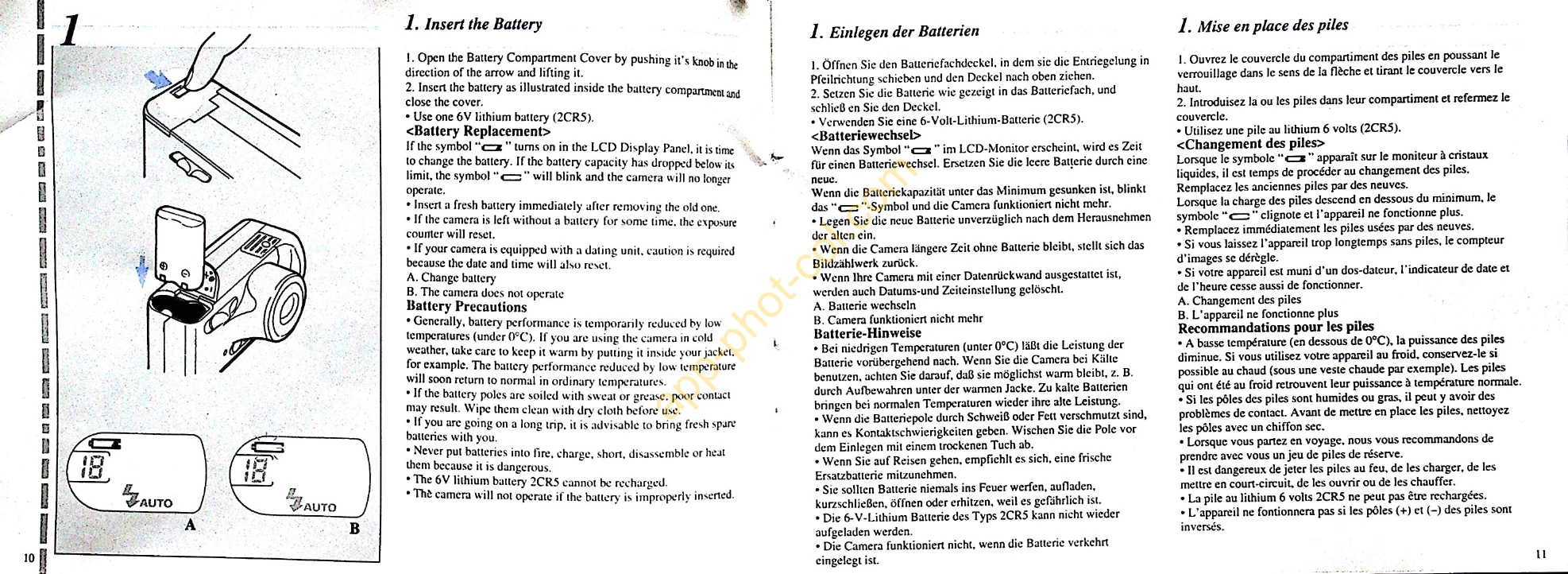
| Camera does not operate | Battery improperly inserted | Insert battery correctly |
| No film advance | Film not loaded correctly | Load film correctly |
| Red LED blinks while flash charging | Flash is charging | Wait until red LED turns off |
| Green LED blinks | Subject too close | Increase shooting distance |
| Green LED lights up, but subject not in focus | Subject out of focus, too close | Use focus lock or increase distance |