Brand: ZANUSSI
Category: Oven
Document Type: Manual
Language: EN
Brand: ZANUSSI
Category: Oven
Document Type: Manual
Language: EN
Uploaded: Nov. 21, 2025, 6:24 p.m.
The appliance is guaranteed for one year from the date of purchase against defects in materials and construction.
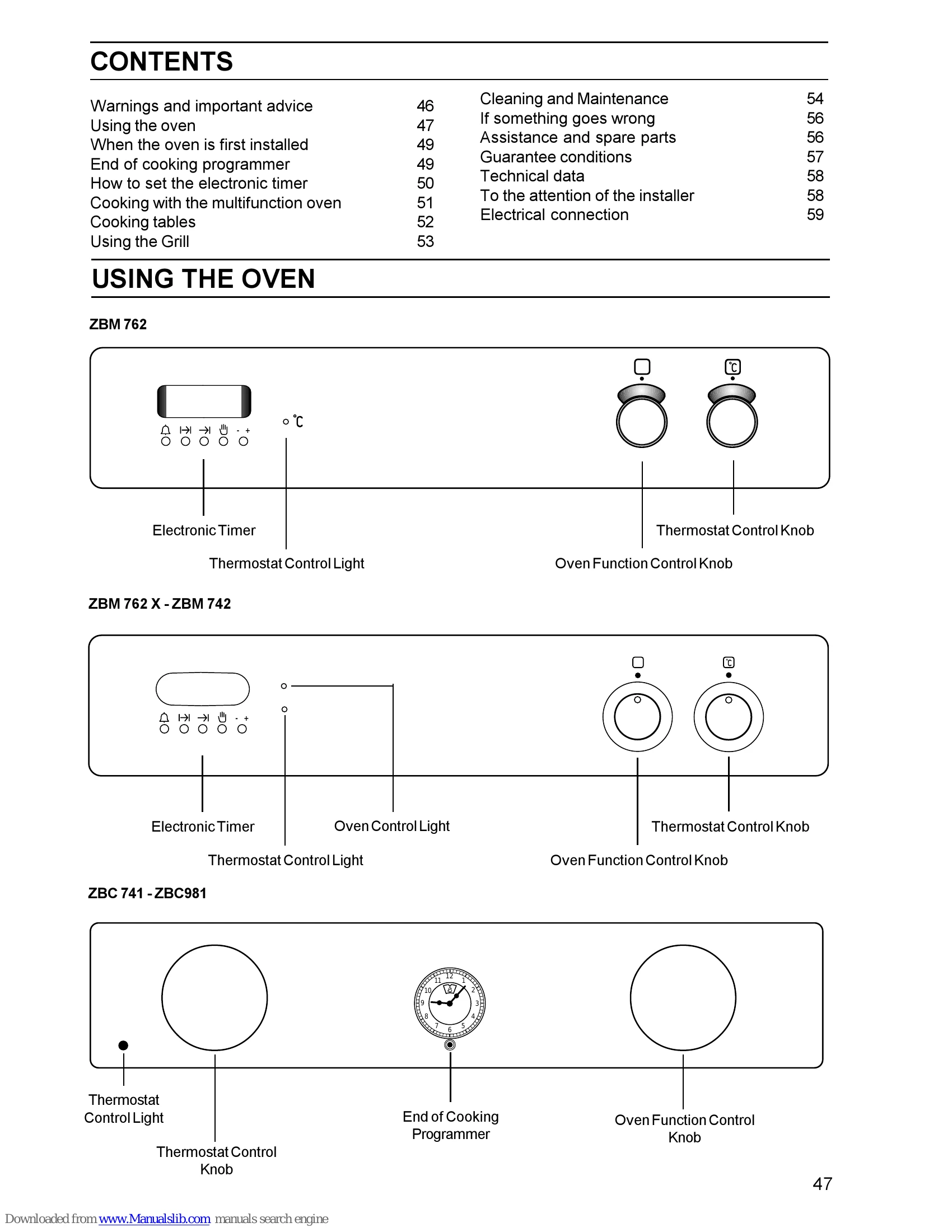
To operate the oven, turn the function control knob to select a cooking mode (e.g., conventional cooking, fan cooking, grilling) and the thermostat control knob to set the desired temperature. The oven light illuminates the cavity. Different functions like Fan Cooking allow for multi-shelf cooking without flavour transfer. The Electronic Timer (on models ZBM 762 - 742) or End of Cooking Programmer (on models ZBC 741 - 981) can be used to set cooking times and the time of day. Always use oven gloves when removing dishes and ensure the oven door is closed during cooking.
| SYMPTOM | SOLUTION |
|---|---|
| The oven does not come on | Check the oven is in manual operation and that both a cooking function and a temperature have been selected or Check the appliance is wired in properly, and the socket switch or the switch from the mains supply to the oven are ON. |
| The oven temperature light does not come on | Turn the thermostat knob on a temperature or Turn the oven function control knob on a function. |
| The oven light does not come on | Turn the oven function control knob on a function or Buy a new oven light bulb, asking for it to your local Zanussi Service Centre and replace it by following the instruction provided in this booklet. |
| It takes too much time to finish the dishes, or they are cooked too fast. | Refer to the contents of this booklet, especially to the chapter "Using the Oven". |
| Steam and condensation settle on the food and the oven cavity. | Leave dishes inside the oven no longer than 15-20 minutes after the cooking is completed. |