Manual for 122

Manual for 122

Brand: Zenit

Category: Camera

Document Type:

Language: EN
Uploaded: Aug. 9, 2025, 11:37 p.m.

Manual Publish Date: 1992-01-01

Getting Started

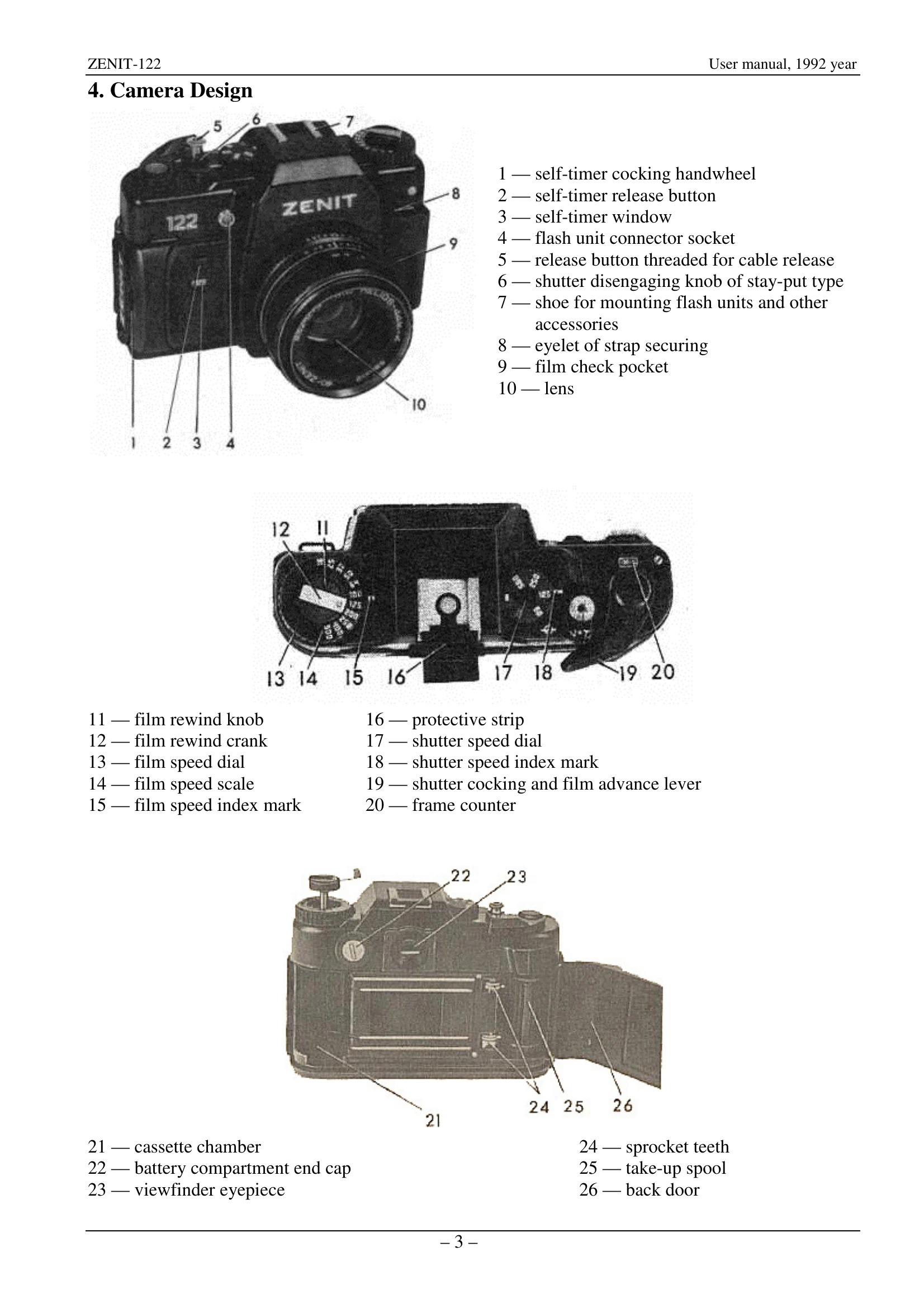
1. **Install Batteries:** Turn cap 22 counterclockwise, remove old batteries, insert new ones with '+' facing up, and turn cap clockwise 90 degrees.

2. **Check Power:** Press release button 5; the light-emitting diodes should illuminate.

Loading Film

  1. Lift rewind crank 12, pull rewind knob 11, and open the back door.
  2. Insert a loaded cassette into chamber 21.
  3. Return rewind knob 11 to lock, ensuring the spool guide enters the cassette.
  4. Draw out the film leader to reach the take-up spool 25, ensuring a sprocket tooth engages a perforation hole.
  5. Close the back door 26.
  6. Cock and fire the shutter twice to advance unexposed film. The frame counter should reset to '0'.
  7. Set the film speed using dial 13.

Taking a Picture

  1. Cock the shutter.
  2. Focus, frame, and set exposure using the viewfinder and controls.
  3. Smoothly press the release button 5.

Unloading Film

When the frame counter reaches 36, rewind the film. Release the shutter, press bush 6, flip open crank 12, and rotate to rewind the film. Pull rewind knob 11 out, open the back door, and remove the cassette.

Privacy Policy